Chapter 3 Operation instructions
IP-9500e
31
3.1 Power ON/OFF
This section explains how to power on/off the IP-9500e.
3.1.1 Powering on
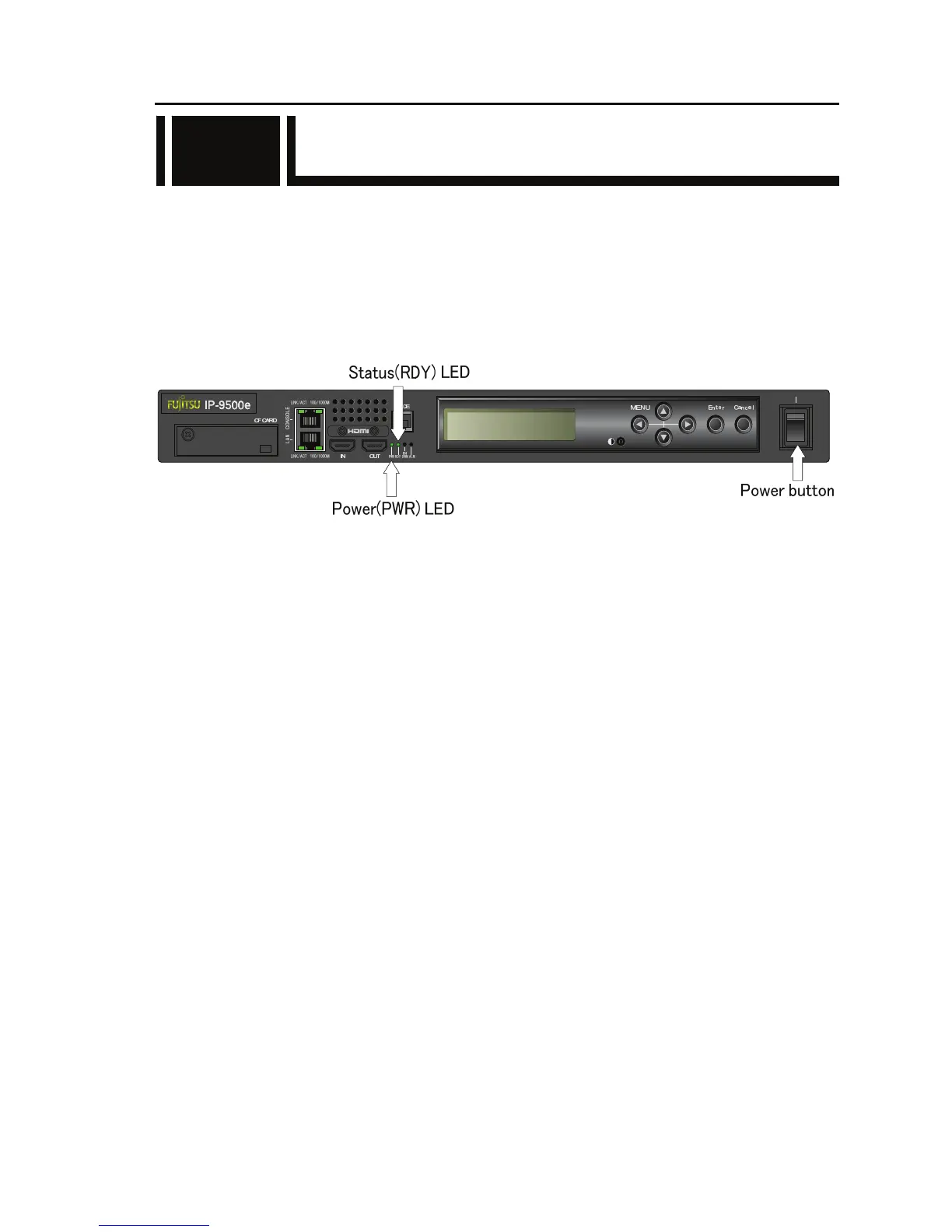
When the power button on the front panel is set to the [ | ] position, the PWR LED turns on.
When IP-9500e completes preparations for operation, the RDY LED turns on.
3.1.2 Powering off
When the power button on the rear panel is set to the [O] position, the device is powered off and
the PWR LED turns off
3.1



 To Next Page