Ports and controls
Ports and controls
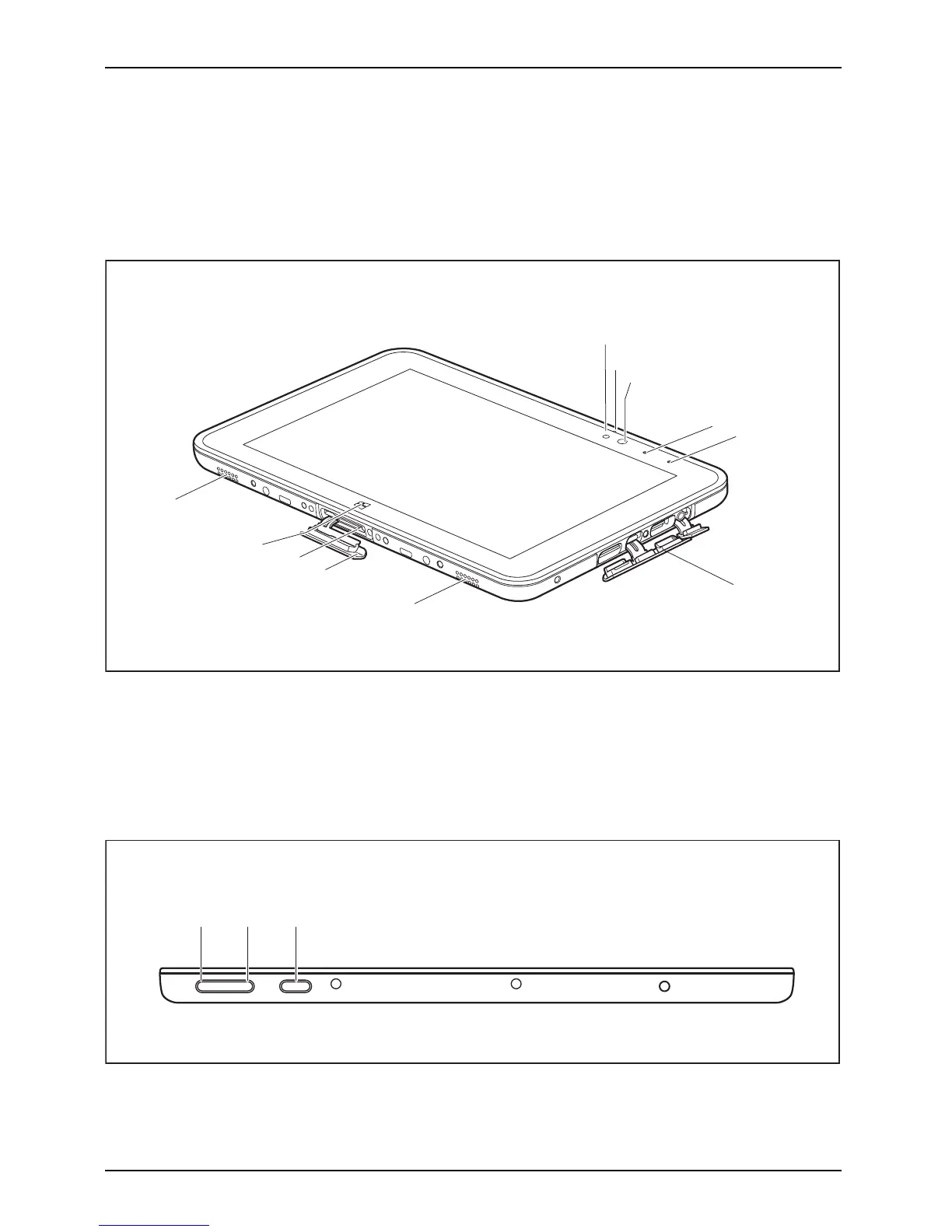
This chapter presents the individual hardware components of your device. It gives an
overview of the indicators and connections of the device. Please familiarize yourself
with these items before you sta rt to work with the device.
Front
1
2
3
7
4
9
10
5
7
6
8
1 = Ambient light sensor
2 = Microphone
3 = Webcam
4 = Webcam LED
5 = Battery charging indicator
6 = Port cover
7 = Speaker
8 = Docking port c over
9 = Docking port for cradle
10 = Windows button
On top of the d evice
1 2 3
1 = Increase volum e button
2 = Decrease volume button
3 = ON/OFF button
10 Fujitsu



 To Next Page
 Loading...











