Working with the Tab let PC
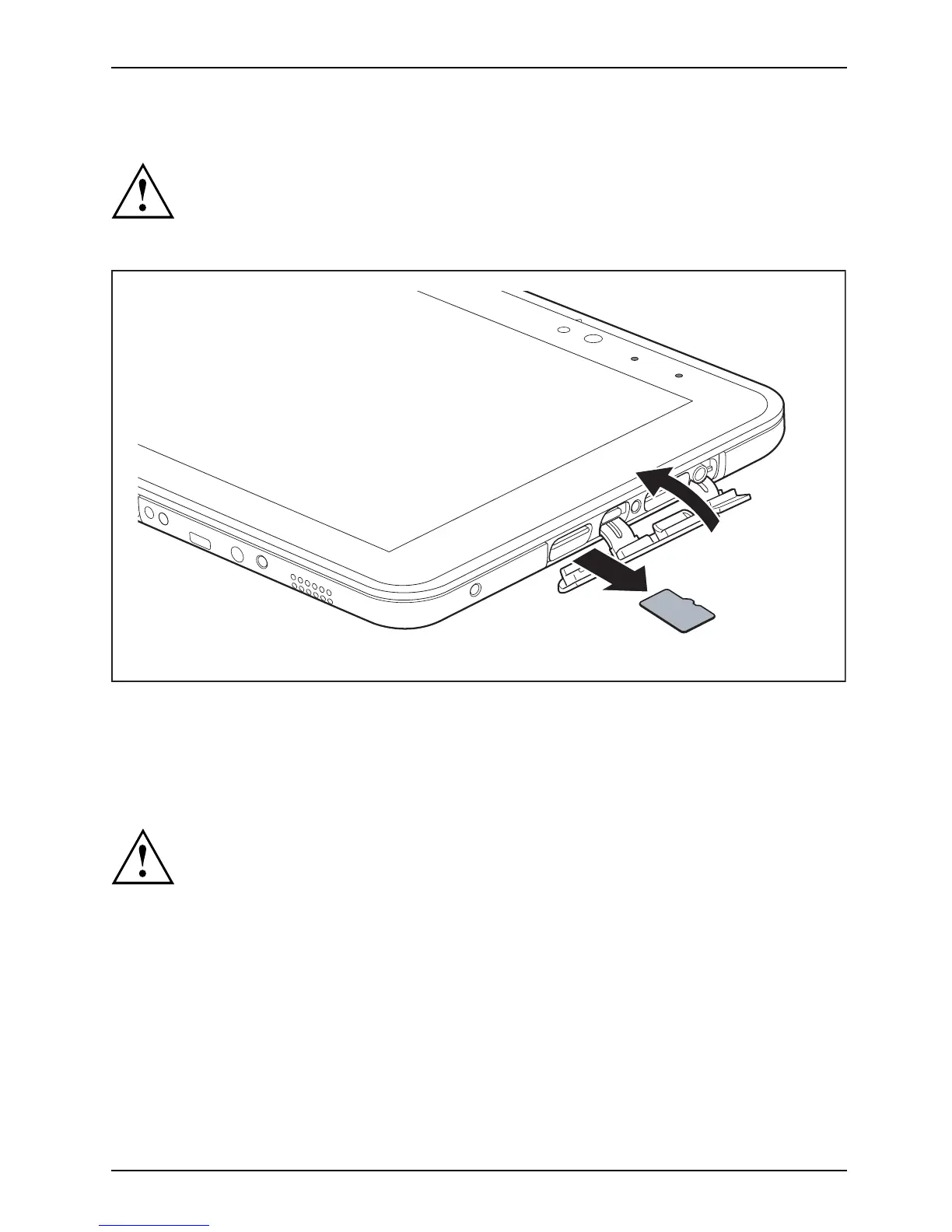
Removing the memory card
Memorycard
To avoid any loss of data, always follow the correct procedure for removing the
card (see the documentation for your operating system).
► Op en the slot cover.
1
2
► Pull the storage card out of the s lot (1).
► Close the slot cover (2).
Wireless L
AN / Bluetooth / NFC wireless components
The installation of wireless components not approved by Fujitsu w ill
invalidate the certifications issued for this device.
Switching the wireless components on a nd off
The wireless c omponen ts are switched on and off using the appropriate
functions of the operating system.
► To switch wireless components on and off individually, select Settings – Change
PC settings – Network – Airplane mode.
Fujitsu 41



 To Next Page
 Loading...











