Working with the Tablet PC
Memory cards
Slot
Your Tablet PC is equipped with an integrated storage card reade r. Use storage
cards to enlarge the storage of your Tab let PC.
Follow the manufactu rer’s instructions when handling the memory cards.
Memorycard
Supported formats
It supports the following f ormats:
• Micro Secure Digital (SD
TM
Card)
• Micro SDHC
•MicroSDXC
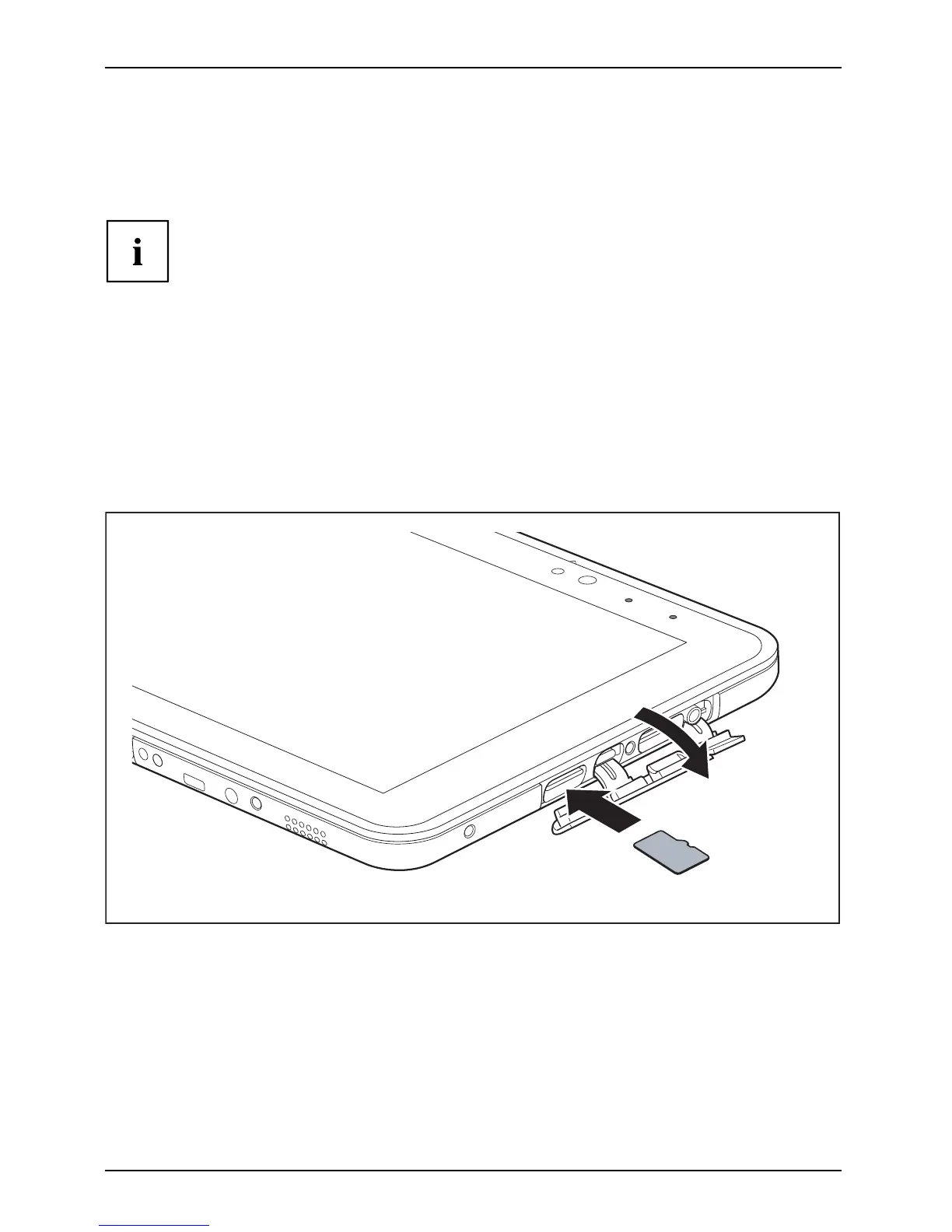
Inserting the memory card
2
1
► Open the slot cover (1).
► Carefu
lly slide the storage card into the slot (2). The label area must be facing upward. Do
not ap
ply any force, otherwise the delicate contact surfaces could be damaged.
Memorycard
► Close the slot cover.
40 Fujitsu



 To Next Page
 Loading...











