Accessories for your Tablet PC (opti
onal)
Connecting the Ta blet PC to the cradle
It is possible to connect the Tablet PC to the cradle while it is running. To prevent
problems, we recommend that you switch the Tab let PC off first.
Disconnect the AC adapter from the Tablet PC before connecting
the Tablet PC to th e cradle.
The adapter must only be used with the manufacturer supplied USB cable. DO NOT
CONNECT OR USE a third party or aftermarket US B charg ing cable.
When the Tablet PC is connected to the cradle, you must connect
the AC adapter to the c radle.
Cradle
► Switch the Tablet PC off.
► Remove the AC plug of the AC adapter from the power outlet.
► Remove the AC a dapter cable from the DC jack (DC IN) of t he Tablet PC.
1
2
3
4
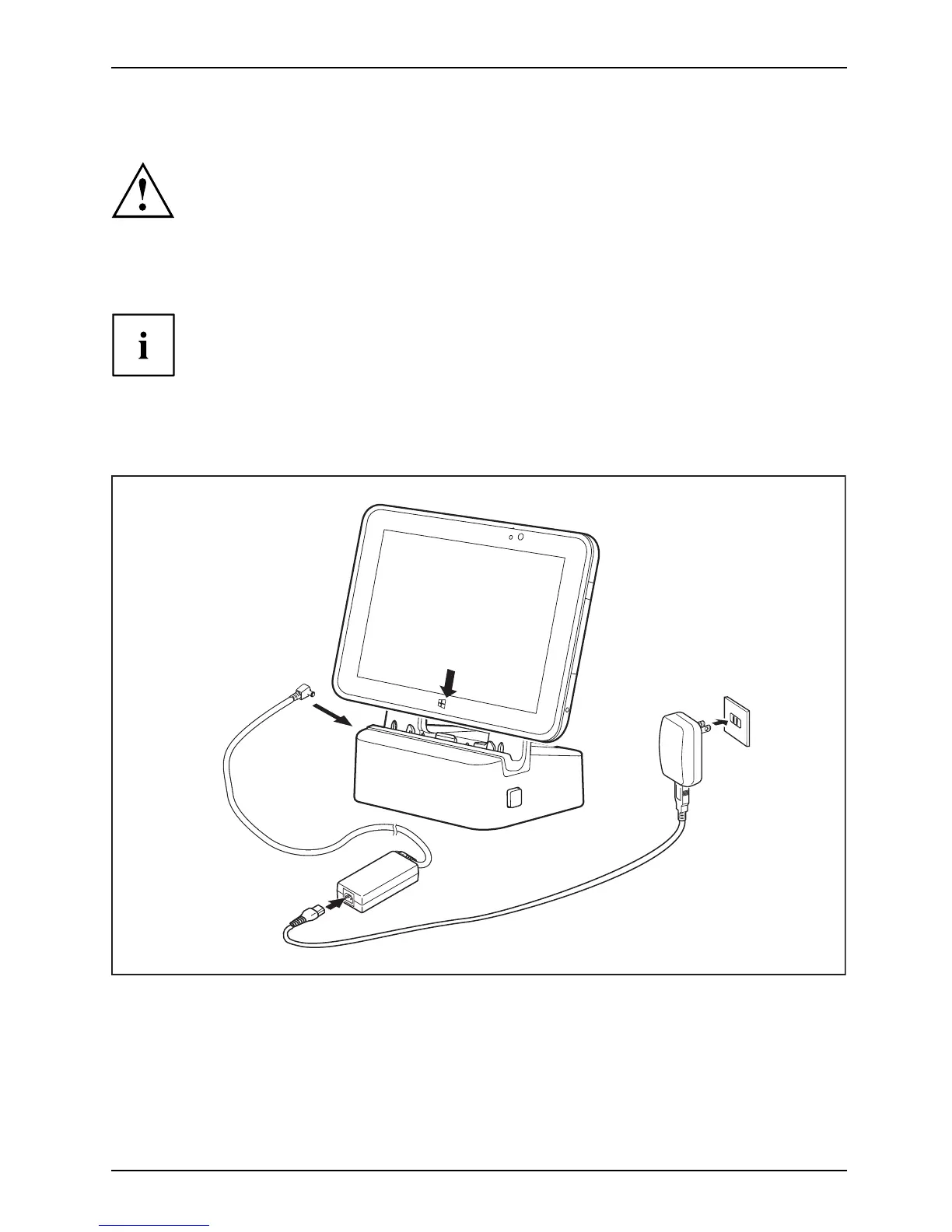
► Position the Tablet PC so that it lies ag ainst the storage surface of the cradle.
► Push t
he Tablet PC on to the cra dle in the direction of the arrow (1) until
you f
eel it engage on the connector.
► Plug the AC adapter cable into the DC jack (DC IN) on the cradle (2).
► Con
nect the AC cable to t he AC ada pter (3).
► Plug the AC cable into the power outlet (4).
Fujitsu 47



 To Next Page
 Loading...











