Fullwood Packo FullClean Plus
10. User Operation
This section explains all the user aspects of the FullClean Plus controller and provides detailed
information about all operation modes.
10.1. The Operation Modes
Table 3 displays the different operation modes of the FullClean Plus controller.
Table 3 Operation modes
Mode in which the controller is idle.
Mode in which the controller switches on all equipment necessary for
milking.
Mode where the controller performs a full automatic cleaning.
Mode where a certain cleaning phase can be chosen to be executed.
Mode in which historic information can be consulted about cleanings
in the past.
In this mode the user can enter some settings like date, time, and
starting times of automatic procedures.
Besides this User Operation Mode, the controller also has an Engineer Settings Mode, which
is not accessible from the keyboard of the terminal. More information about this mode is
provided in Section 12.
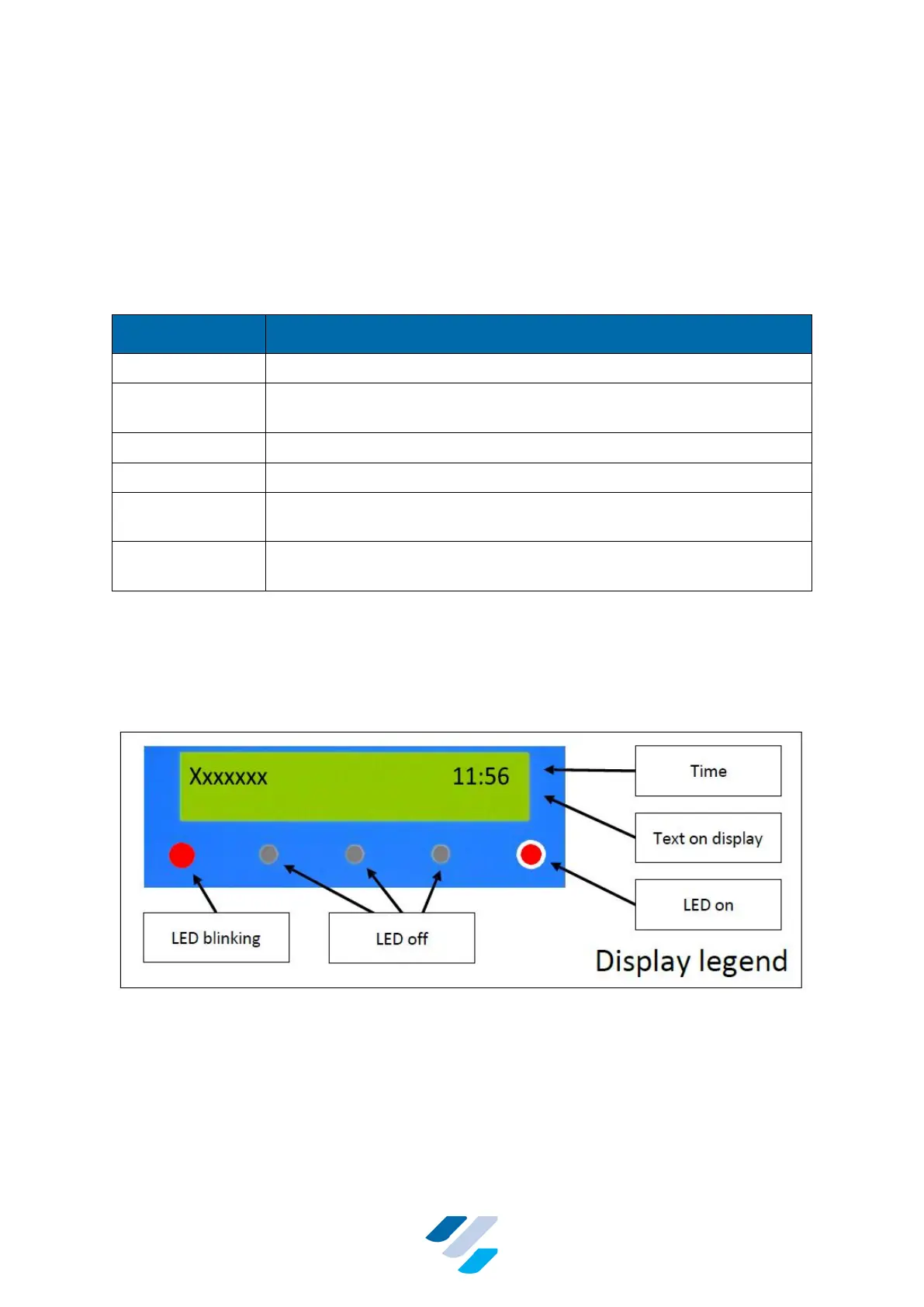
The actual mode of the controller is indicated by the LEDs, and the display of the terminal.
Next every mode is explained in more detail, but first the legend is shown (see Figure 11).
Figure 11 Legend; Example of LEDs and Display Readings


 To Next Page