• Drain & dry
• Options
• Hot water reservoir
• Hardware input assignments
• Hardware valves
• Hardware equipment
12.1.4. Handling Sub Menu Items
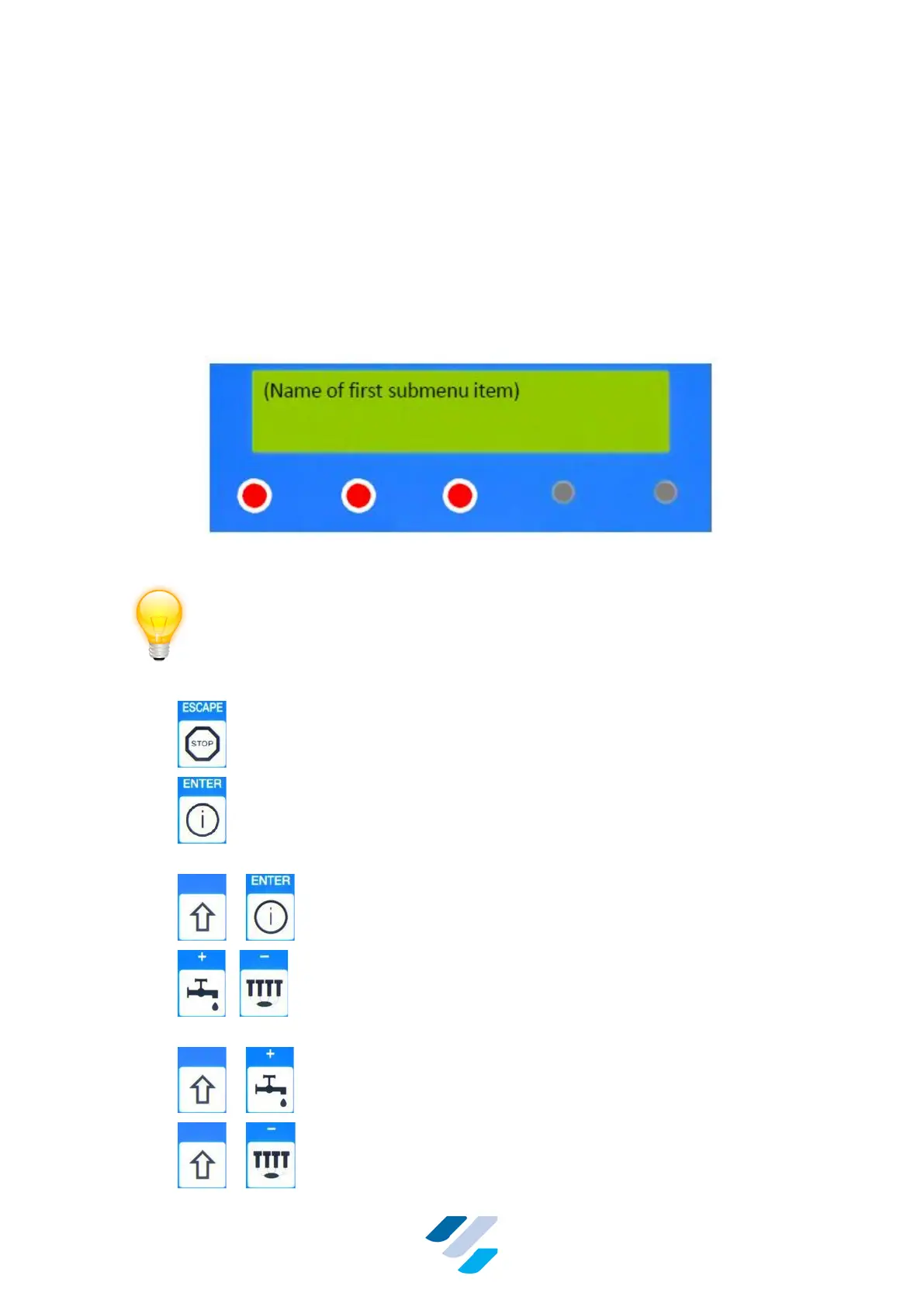
If a Sub Menu is selected (by pressing “ENTER”) the terminal shows:
Figure 24 Sub Menu
In a Sub Menu, the terminal keys have following function:
• – Go back to top level Main Menu
• – Save current parameter value and go to next Sub Menu
item
• + – Select default value of this parameter
• / – Increase / decrease selected value (seconds or output
numbers)
• + – Fast increase selected value (minutes or boards)
• + – Fast decrease selected value (minutes or boards)


 To Next Page