• Press “+” (cleaning) to continue with the beginning of the cleaning phase it was at the
start of the error
• Press escape to cancel the alarm and the blinking LEDs notification and return to
normal standby
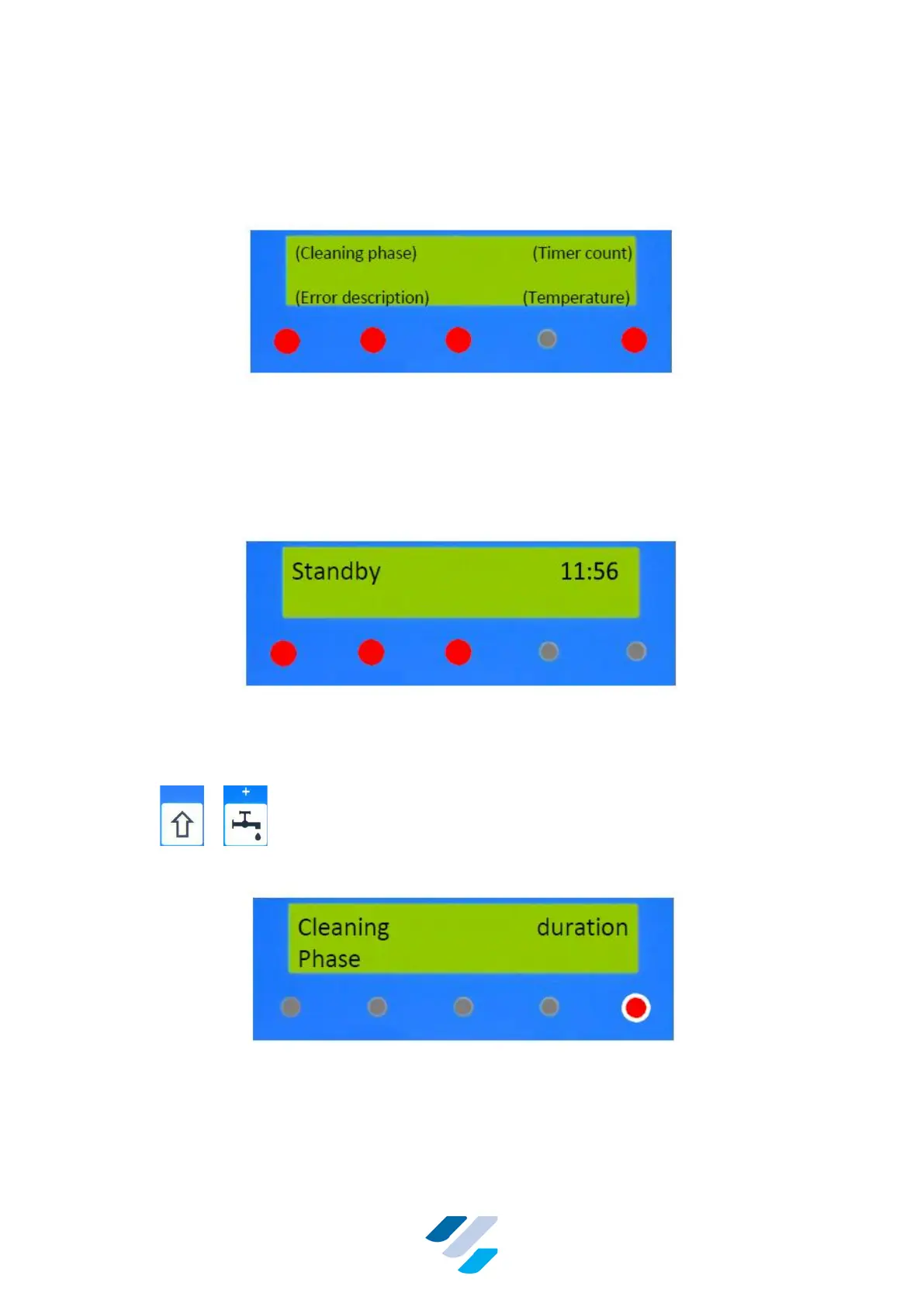
Figure 16 Alarm Warning; Display & LEDs within 5 Minutes after the Occurrence of
an Error During Cleaning
If an error occurs this will be shown on the display and sound an alarm, if linked to an externally
(buzzer). After 5 minutes the external alarm will cease automatically Pressing on the
“information” button will provide information about the last action performed. This can be
“Automatic Shutdown” in case of a carried out emergency drain procedure.
Figure 17 Display & LEDs after finishing a “Special Cleaning Phase” (manual- or
emergency)
10.1.4. Manual Clean Mode
Press + to enter “Manual Cleaning Mode”.
This mode can be chosen if only one specific cleaning phase has to be performed.
Figure 18 Display & LEDs during the Manual Cleaning Mode
When this mode is entered, the first line of the display will show the first selectable option.


 To Next Page