123
<Data>
Servo speed setting (1)
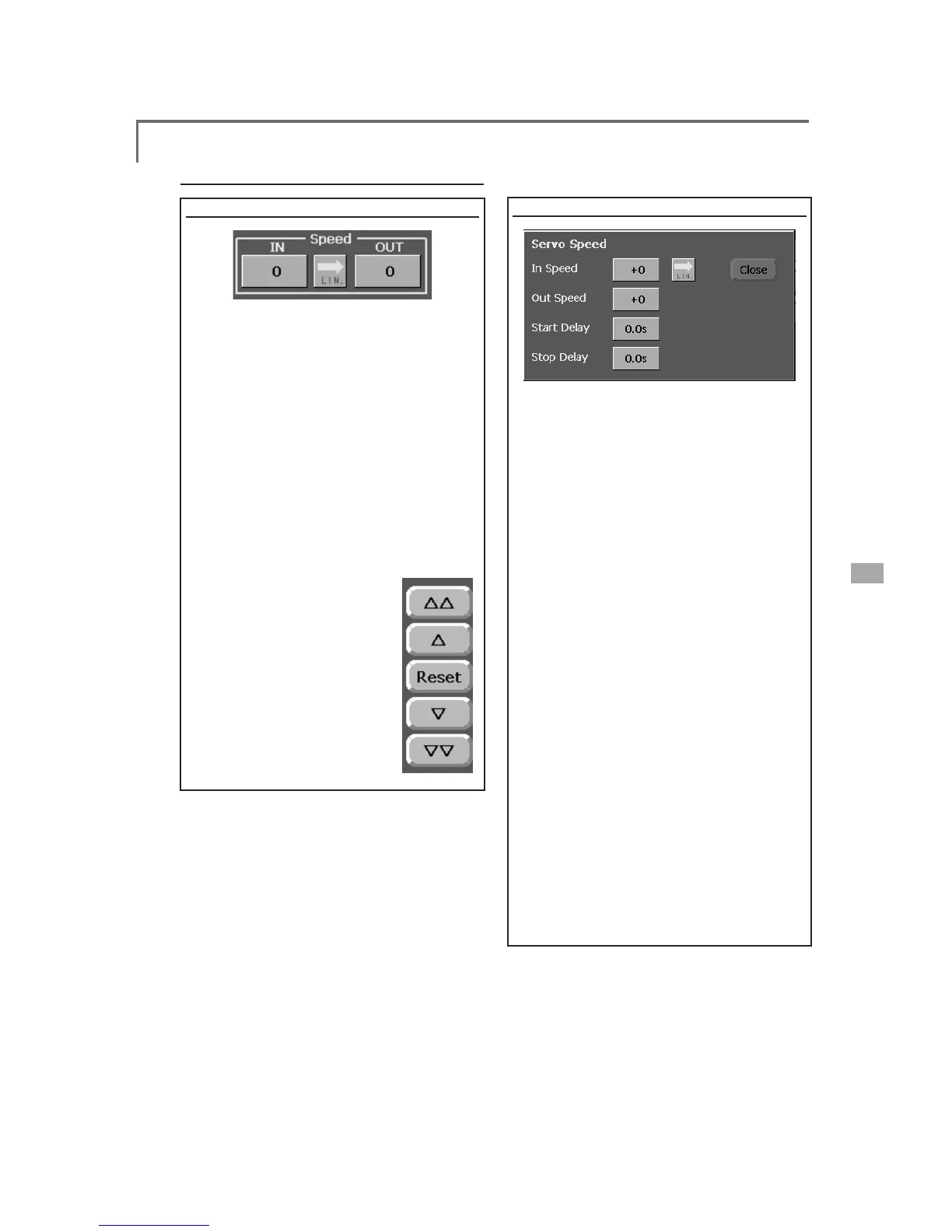
The speed at each operation (including flight
condition switching) can be adjusted. The
servos operate smoothly at a constant speed
corresponding to the set speed. The operation
speed (In Speed) and the return speed (Out Speed)
can be set individually.
Switch the operation mode according to the set
function. When the button is touched, it toggles
between [LIN] and [SYM].
"SYM" mode: Mode used with ailerons and
other self-neutral functions
"LIN" mode: Mode used with functions which
hold the operation position of the throttle
and switch channel, etc.
>6HWWLQJPHWKRG@
6HOHFWWKHIXQFWLRQ>/,1@RU
>6<0@PDWFKHGWRWKHPDVWHU
channel. Each time the
button is touched, it toggles
EHWZHHQ>/,1@DQG>6<0@
7RXFKWKH,QRU2XW 6SHHG
button and set the servo
speed.
Initial value: 0
6HWWLQJUDQJHa
Operations related to servo speed
Servo speed setting (2)
>6HWWLQJPHWKRG@
1. When setting the servo speed, touch the
Speed button. The Servo Speed setup
screen shown above is displayed.
6HOHFWWKHIXQFWLRQ>/,1@RU>6<0@PDWFKHG
to the master channel. Each time the
EXWWRQLVWRXFKHGLWWRJJOHVEHWZHHQ>/,1@
DQG>6<0@
"SYM" mode: Mode used with ailerons and
other self-neutral functions.
"LIN" mode: Mode used with functions which
hold the operating position of the throttle
and switch channel, etc.
3. Touch the In Speed button and set the
servo speed.
Initial value: 0
6HWWLQJUDQJHa
7RXFKWKH2XW6SHHGEXWWRQDQGVHWWKH
servo speed.
Initial setting: 0
6HWWLQJUDQJHa
7RXFKWKH6WDUW'HOD\EXWWRQDQGVHWWKH
GHOD\WLPHIURPVZLWFK21WRWKHVWDUWRI
function operation.
Initial setting: 0.0 sec
6HWWLQJUDQJHaVHFV
6. Touch the Stop Delay button and set the
GHOD\WLPHIURPVZLWFK2))WRWKHVWDUWRI
function operation.
Initial setting: 0
6HWWLQJUDQJHaVHFV



 To Next Page