GAT SMART.Lock 7000 System
Electrical Connection
www.gantner.com
HB_GAT-SMARTLOCK7000--EN_10
27
4.3 Connection of the GAT SMART.Controller S 7000
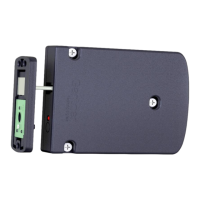
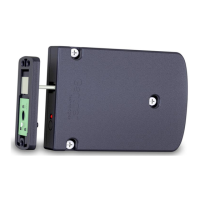
4.3.1 Connection of the GAT SMART.Lock 7001 to the GAT SMART.Controller S 7000
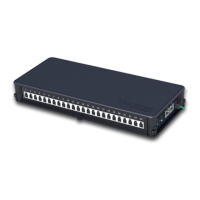
The locker locks are connected via the 4-pin MOLEX connectors to the sockets of the GAT SMART.Controller S
7000 slave controller.
Attention: Always use original GANTNER cables. The connection cable of the lock must not be modified
(shortened or extended). If the cable is too short, only one GANTNER extension cable GAT
NET.Lock Cable 4m (article #: 321826, length = 4 m) may be used. The maximum cable length
between the lock and the slave controller thus being 8 m.
Up to 24 locks can be connected to a slave controller. The locks are controlled and differentiated by the correspond-
ing channels marked 1 -24 on the controller. It is important to connect the correct locks to the correct sockets, re-
spectively to configure the system accordingly afterwards.
The slave controller should be located so that the locks can be connected using cables of minimum length (e.g., lo-
cated directly above the lockers).
Figure 4.3 - Connection of the GAT SMART.Lock 7001 to a GAT SMART.Controller S 7000 slave controller
Note: Do not connect the GAT NET.Lock 7000 RFID locker locks to the GAT SMART.Controller S 7000. The
GAT SMART.Controller S 7000 only operates with the GAT SMART.Lock 7001. For the GAT NET.Lock
7000, you must use the GAT NET.Controller S 7000 slave controller.
4.3.2 Network Connection
The slave controllers are connected to each other via the serial RS 485 interface. The same RS 485 interface is
used to connect the slave controllers to a GAT NET.Controller M 7000 master controller or to a COM converter,
which then converts the communication to Ethernet (TCP/IP).
RJ 45 plugs are used to connect the RS 485 cabling of the GAT SMART.Controller S 7000. We recommend to use
a minimum standard of CAT 5 (STP) cable for all network connections.
Figure 4.4 - RS 485 connection on the GAT SMART.Controller S 7000


 To Next Page
 Loading...