6 GPSMAP 76CSx Owner’s Manual
GETTING STARTED > USING THE GPSMAP 76CSX
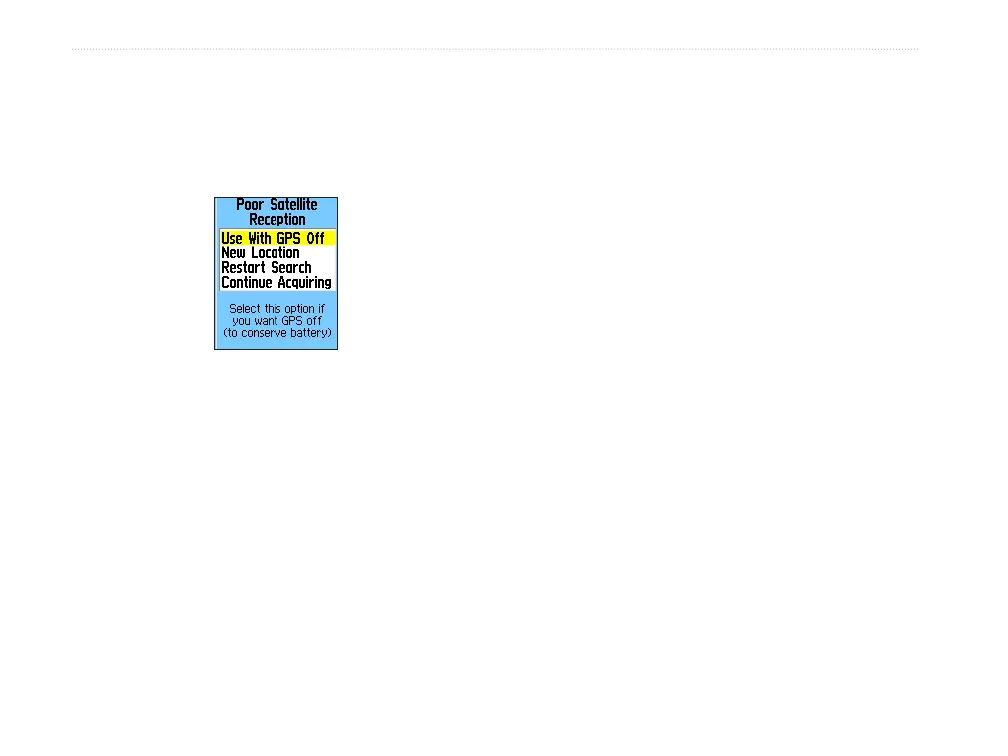
Initialization Options
If the unit cannot get a satellite fix, an options
menu with a list of solutions appears. Highlight the
appropriate solution and press ENTER.
Use With GPS Off—use this option to save battery
power when you do not need the GPS on.
New Location—use when you have moved the unit
more than 600 miles and you are having trouble
locking onto satellite signals.
Restart Search
—use when you have not moved, but
are having trouble locking onto satellite signals.
Continue Acquiring
—use when you are in an area
where the satellite signals are temporarily blocked.
Using the GPSMAP 76CSx
This section explains how to enter and select
information with the GPSMAP 76CSx.
Understanding Terms
As you progress through this owner’s manual, you are
directed to press a specific key or highlight a field on
the screen. When you are directed to press a key, you
should press and quickly release the key. If the key
needs to be held down for a period of time to start a
secondary function, the instructions will tell you to
do so. When a field is highlighted on the screen, it is
highlighted in yellow. The position of the highlight is
controlled by the ROCKER.
The following terms are used throughout this manual:
Highlight—move the highlighted area on the screen
up, down, left, or right with the ROCKER to select
individual fields.
Field—the location where data or an option can be
shown and entered. Select (highlight) a field using the
ROCKER to begin entering data or selecting options.












 To Next Page