GPSMAP 76CSx Owner’s Manual 65
MAIN MENU > SETUP MENU
To navigate using the Highway Page:
1. While navigating, access the Highway Page
from the Main Menu and observe your path of
travel shown on the highway graphic.
2. Press MENU to open the Options Menu. You
can do the following:
Stop Navigation, Configure Data Fields from
four to three with a destination guidance
message, Change the Data Fields, or restore
Defaults to factory settings.
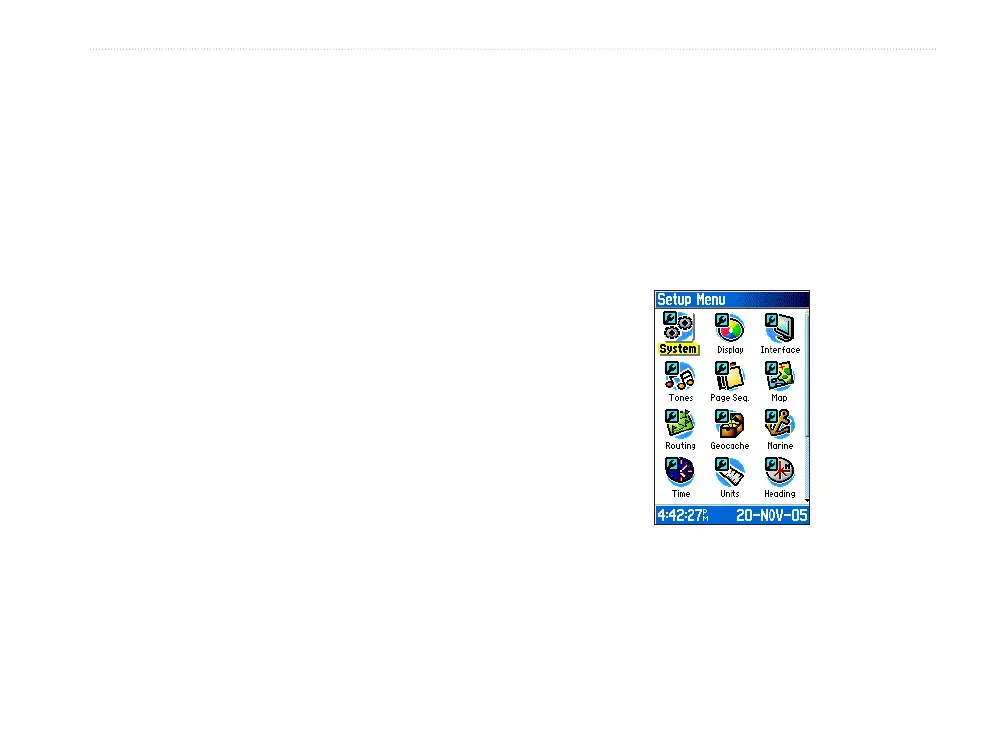
Setup Menu
Use the Setup Menu to customize your GPSMAP
76CSx to your personal preferences.
To access the Setup Menu:
1. Press MENU twice to open the Main Menu.
2. Use the ROCKER to highlight the Setup icon,
and press ENTER.
Setup Menu Page
Each feature is explained in the following pages.












 To Next Page