GPSMAP 76CSx Owner’s Manual 11
BASIC OPERATION > CREATING AND USING WAYPOINTS
Creating Waypoints Using the Map
You can quickly create a waypoint using the
Map Page. When you pan the map and move the
pointer over a map item, you will see a highlighted
description of the item.
To create a waypoint using the Map Page:
1. On the Map Page, use the ROCKER to move
the pointer to the map item you want to mark
as a waypoint.
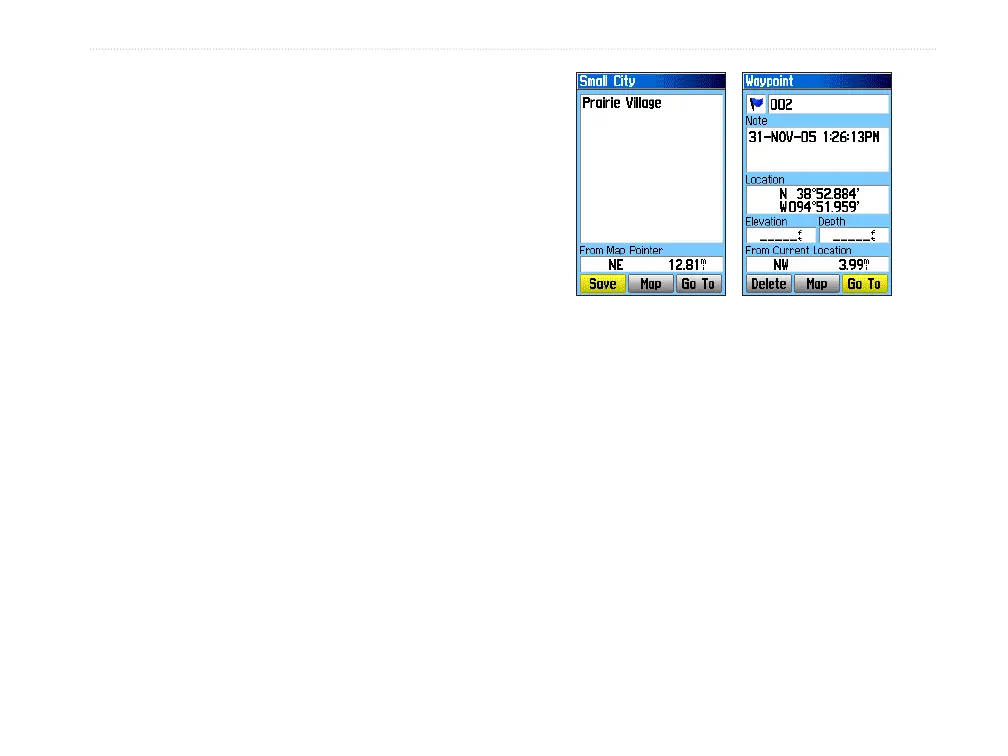
2. Press and quickly release ENTER/MARK
to capture the pointer location and open the
information page for the map item.
3. Highlight Save, and press ENTER.
If the selected map item contains no
information, a “No map information at this
point. Do you want to create a user waypoint
here?” message appears. Highlight Yes, and
press ENTER.
4. To change any information on the Waypoint
Page, highlight the appropriate field, and
press ENTER to open the on-screen keypad.
After entering and confirming your changes,
highlight OK, and press ENTER.
Information page for a
map point with data
Information page for a
map point without data
Creating a Waypoint Using Coordinates
You can manually enter location coordinates to
create a waypoint. This method is useful for creating
a waypoint at a specific latitude/longitude position
when using a chart.
To create a new waypoint by entering
location coordinates:
1. Create a new waypoint.
2. On the Waypoint Page, highlight the Location
field, and press ENTER to open the on-screen
keypad.












 To Next Page