GPSMAP 76CSx Owner’s Manual 87
MAIN MENU > GAMES MENU
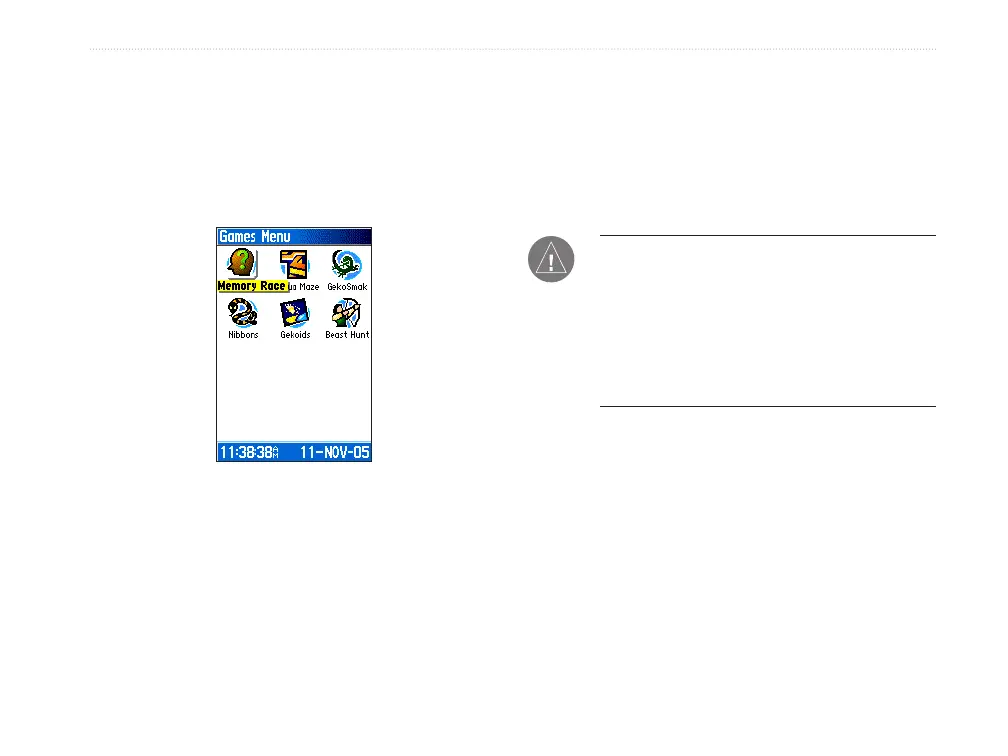
Games Menu
The Games Menu contains six games (Memory Race,
Virtual Maze, GekoSmak, Nibbons, Gekoids, and
Beast Hunt) for entertainment. Some games use GPS
as a virtual component in the play.
Games Menu
To select and play a game:
1. Press MENU twice to open the Main Menu
2. Select the Games icon, and press ENTER.
3. Use the ROCKER to highlight a game, and
press ENTER. A brief description of each
game appears.
WARNING: When playing any of the virtual
games (where you are moving on a real playing
field), use caution in selecting an area free of
hazards such a holes, obstructions, or proximity
to vehicular traffic. Playing these games can
distract your attention from observing objects in
your path.
4. Press
QUIT and highlight Yes when prompted
to stop playing.












 To Next Page