68 GPSMAP 76CSx Owner’s Manual
MAIN MENU > SETUP MENU
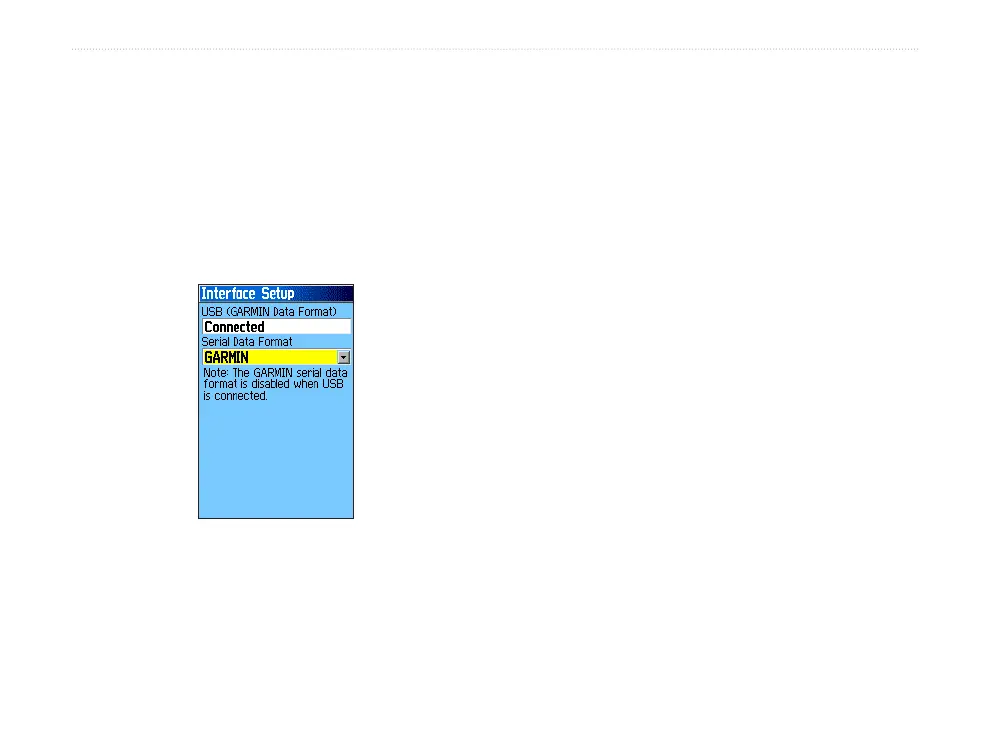
Interface Setup
Use the Interface Setup to control the input/output
format used when connecting your unit to external
devices.
To access the Interface Setup Page:
On the Setup Menu Page, highlight the
Interface icon, and press ENTER.
Serial Data Format—sets the data format to one of
the following:
• GARMIN—the proprietary format used
to exchange waypoint, route, track log and
MapSource data with a PC.
• NMEA In/NMEA Out—Supports input and
output of standard NMEA 0183 version 3.01
data.
• TEXT OUT—Allows ASCII text output of
location and velocity information. No input.
• NONE—Provides no interfacing capabilities.
Tones Setup
Use the Tones Setup to customize sound tones made
by the unit.
To access the Tones Setup Page:
1. On the Setup Menu Page, highlight the Tones
icon, and press ENTER.
2. Select Message Beep, Key Beep, Power
Beep, Turn Warning (Early), or Turn Warning
(Final) field. Press ENTER.
3. As you move down the list each different tone
sounds. Press enter to select a tone.












 To Next Page