44 GPSMAP 76CSx Owner’s Manual
MAIN PAGES > MAP PAGE
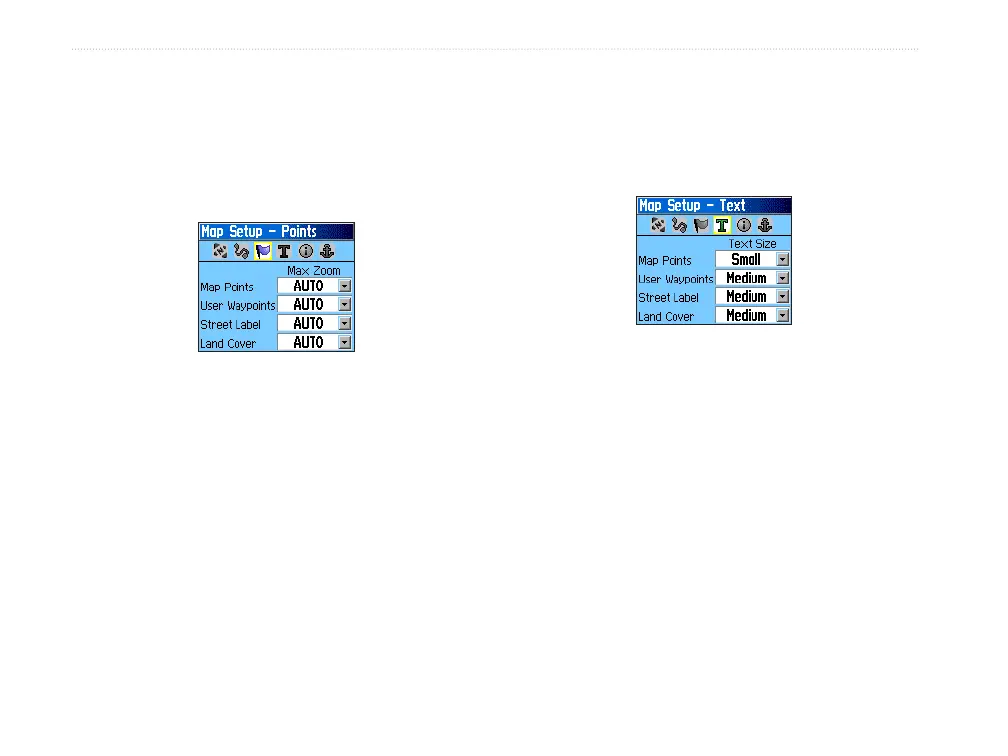
Map Setup—Points Page
The Map Setup—Points Page to set the map scale at
which Map Points, User Waypoints, Street Label,
and Land Cover appear on the Map Page. Select
Auto, Off, or from 20 ft to 800 mi.
Map Setup – Points Page
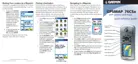
Map Setup—Text Page
Use the Map Setup—Text Page to select the text size
for descriptions of map items on the Map Page. You
can select from Small, Medium, or Large.
Map Setup – Text Page
Map Setup—Information Page
The Map Setup—Text Page shows a list of
downloaded detailed maps such as topographic,
marine charts, and MapSource maps with auto-routing
capability. Use ROCKER to highlight a map and
press ENTER to show it on the map screen or turn it
off.












 To Next Page