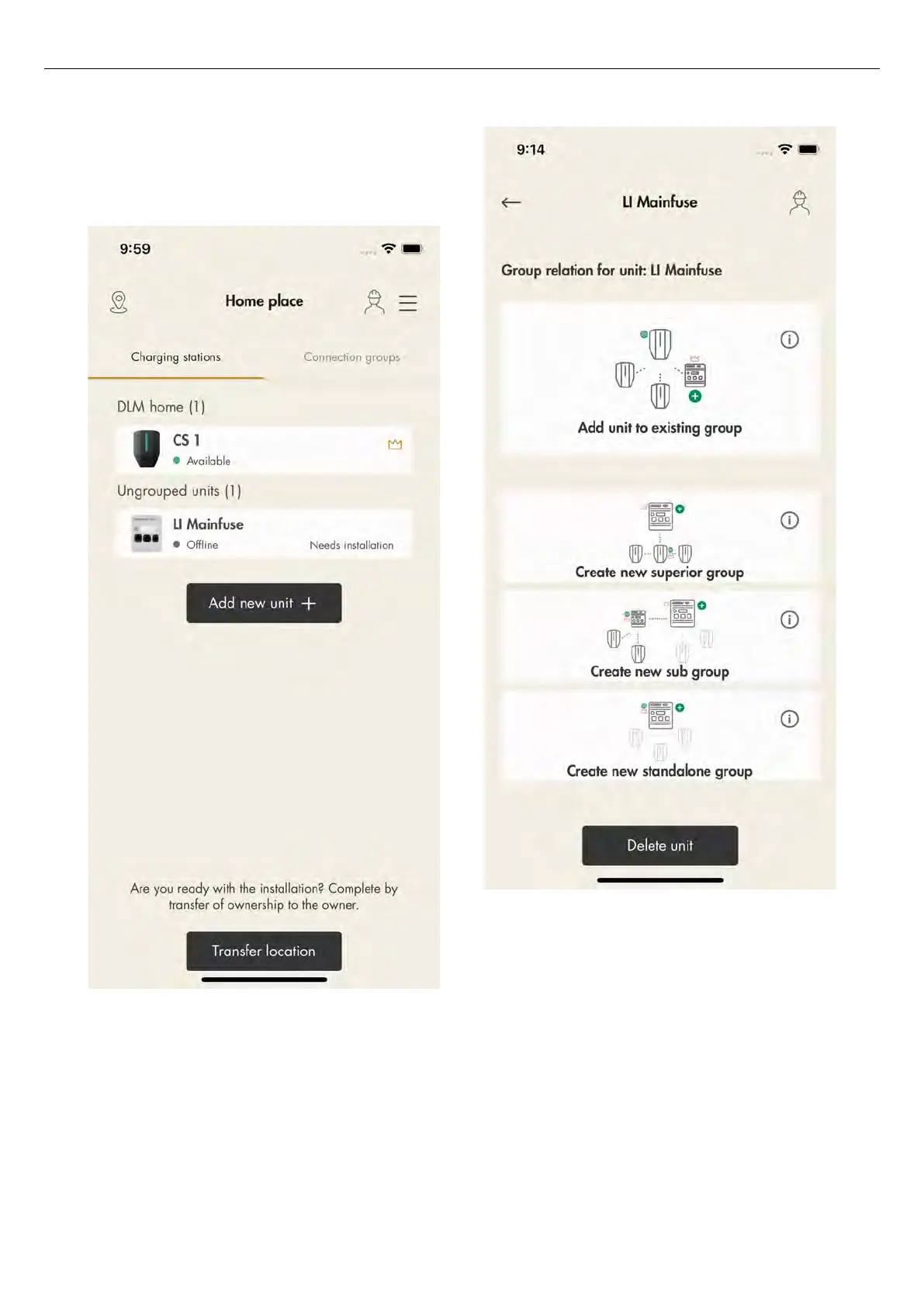
The example below show how to add the ungrouped
load interface main fuse unit into the DLM home group
structure. The DLM home group unit has already been
created for unit CS 1.
1. To connect a unit to a group, click the unit to
connect and select a suitable group structure.
a. Add the unit to an existing group.
b. Create a new superior group.
c. Create a new subgroup.
d. Create a new stand-alone group.
2. To add a unit to an existing group, select a group
and click
Next
.
NOTE
To add a unit to an existing group as a subgroup, name
the unit, group current (maximum current) and define
the superior group.
When a new subgroup is defined, the default
proposal is to also define a new subcommunication
master. This is usually a good thing to do in order to
avoid reaching the limit of 32 units in a
communication group. Another reason to create a
80 Version: 1.3
Installation



 To Next Page