Illuminated green indicates network connection is available.
(Note: The LAN LED status light is currently not supported)
C. Hard Drive Caddy: Allows up to 4TB of storage
D. Lock. Allows access to the HD caddy. You will need a key that comes with the package.
E. USB Port: external USB flash drives that can be used for saving/uploading configuration files,
updating system firmware and downloading of recorded video/event files.
F. SD Card Door: Y58 supports up to 256GB SD card. To access the SD card slot, turn off the device,
then take out the HDD caddy, then open the SD Card Door.
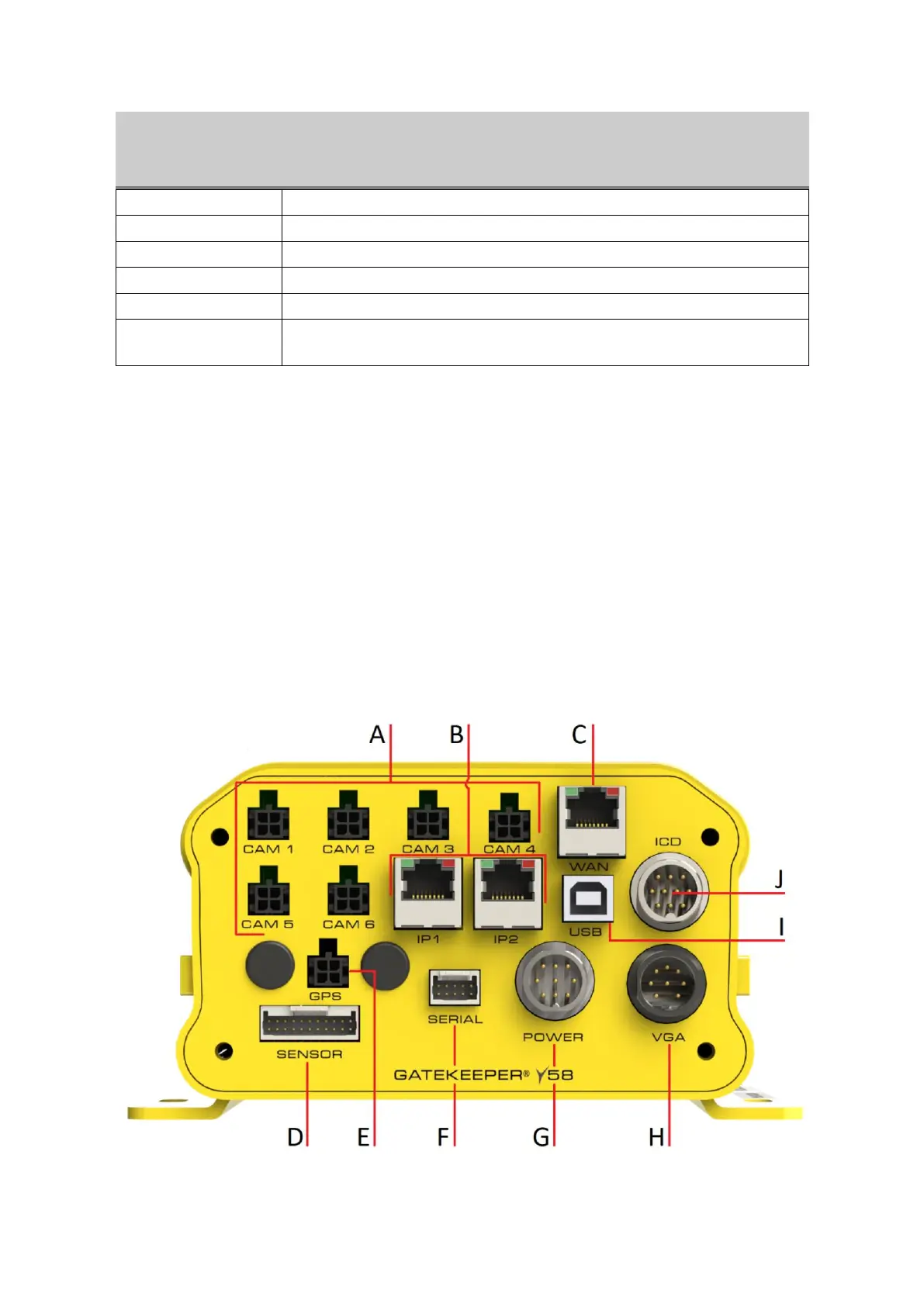
2.1.2 Back Panel of Y58
The following shows back panel of Y58
Figure 2-3 Rear View of the Y58



 To Next Page