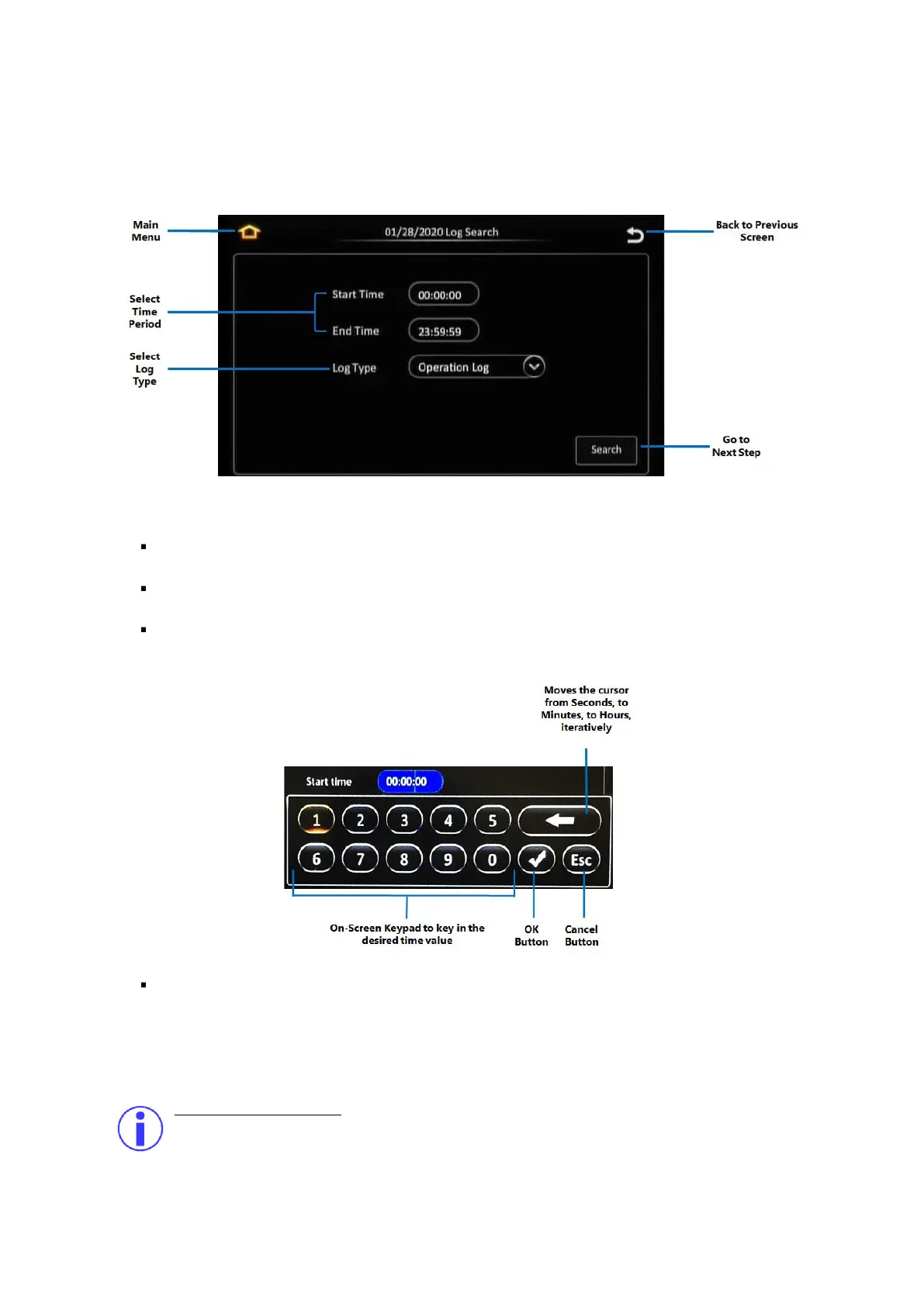
Log Search Step 2: Selecting the Time and Log Type
The next step in the Log Search function allows you to select the time period and the type of log that
you wish to view.
Figure 5-8 Log Time and Type Selection
Main Menu: Click this icon to return to the Main Menu.
Back to the Previous Screen: Click this icon to return to the Previous Screen that you were at.
Select Time Period: Clicking on the Start Time field or the End Time field will display the on-
screen keypad which allows you to key in a specific time (in hh:mm:ss 24-hour time format).
Select Log Type: This allows you to select the type of log file to be displayed.
Alarm : Logfile listing alarm events.
Operation : Logfile listing operational events.
Locked : Log file listing locked events.
What are locked events?
The device setup allows you to configure the recording settings such that video is always
retained for a specified number of days after it is recorded. Locked video refers to recorded
video which falls within the stipulated duration, and hence is protected against being deleted



 To Next Page