Y58 User Manual & Install Guide
4.3 Step 3: Logging in and Accessing System Configuration
You may now log into the system and go to the Main Menu where you can access the device Setup and
configuration settings.
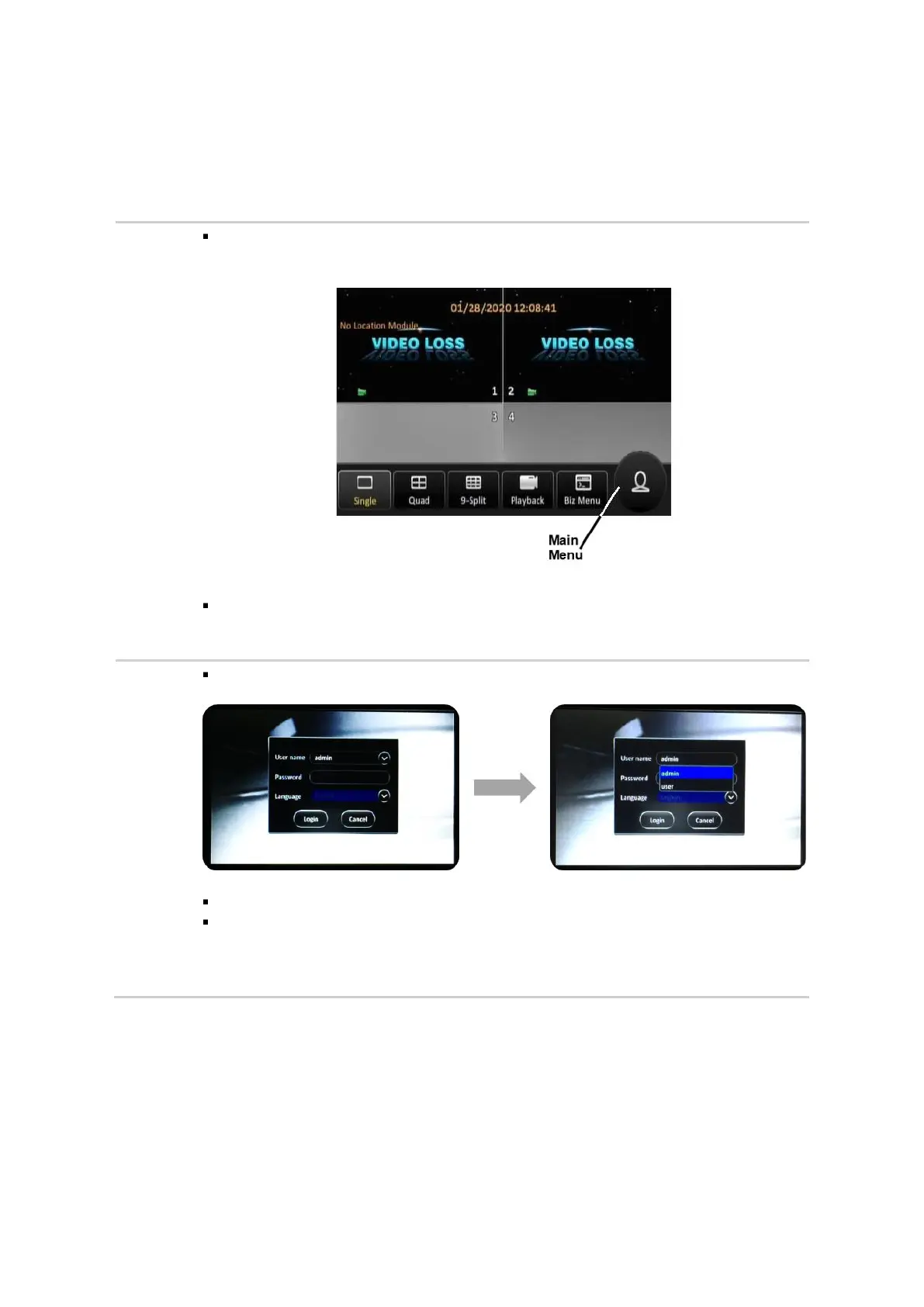
If you are using a Finger Mouse, click the Right Button, whereas ICD2 users can just
tap on the screen.
On the quick menu, click the Person icon. This will prompt you to log in to the
system.
The system will display the log-in dialog box as shown below.
Ensure that admin is displayed in the User Name field.
If not, then click on the drop-down (˅) button at the right corner of the User Name
field. A drop-down list of user names will appear where you will be able to click on
admin to select it.



 To Next Page