7.3 Using a New Hard Drive
The Y58 uses a propriety file system format to store data to the Hard Drive. As such, any new Hard Drive
would need to be formatted in the device itself prior to use.
To do this, just insert the Caddy into the Caddy slot on the Y58.
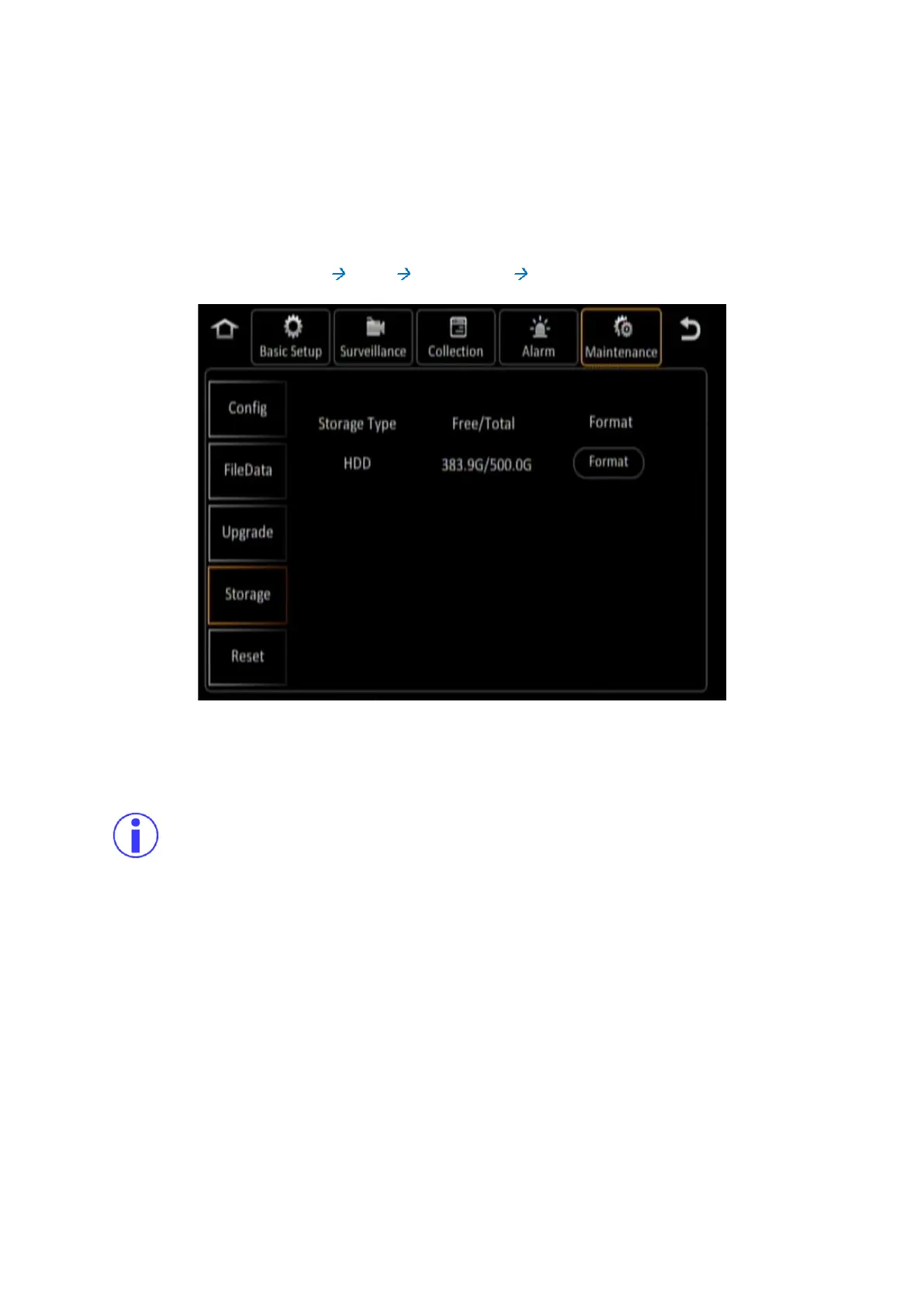
Then Navigate to: Main Menu Setup Maintenance Storage.
Figure 7-3 Formatting a New Storage Medium
Click the (Format) button next to the Hard Drive to format it for use in the device.
Please note that formatting any storage media will remove all the data stored on it. If this is not
a new storage media, please ensure that the data on it is no longer required, or that you have
already made a backup of the data on it.



 To Next Page