2 Your Y58 at a Glance
2.1 Take a Tour
2.1.1 Front panel of the Y58
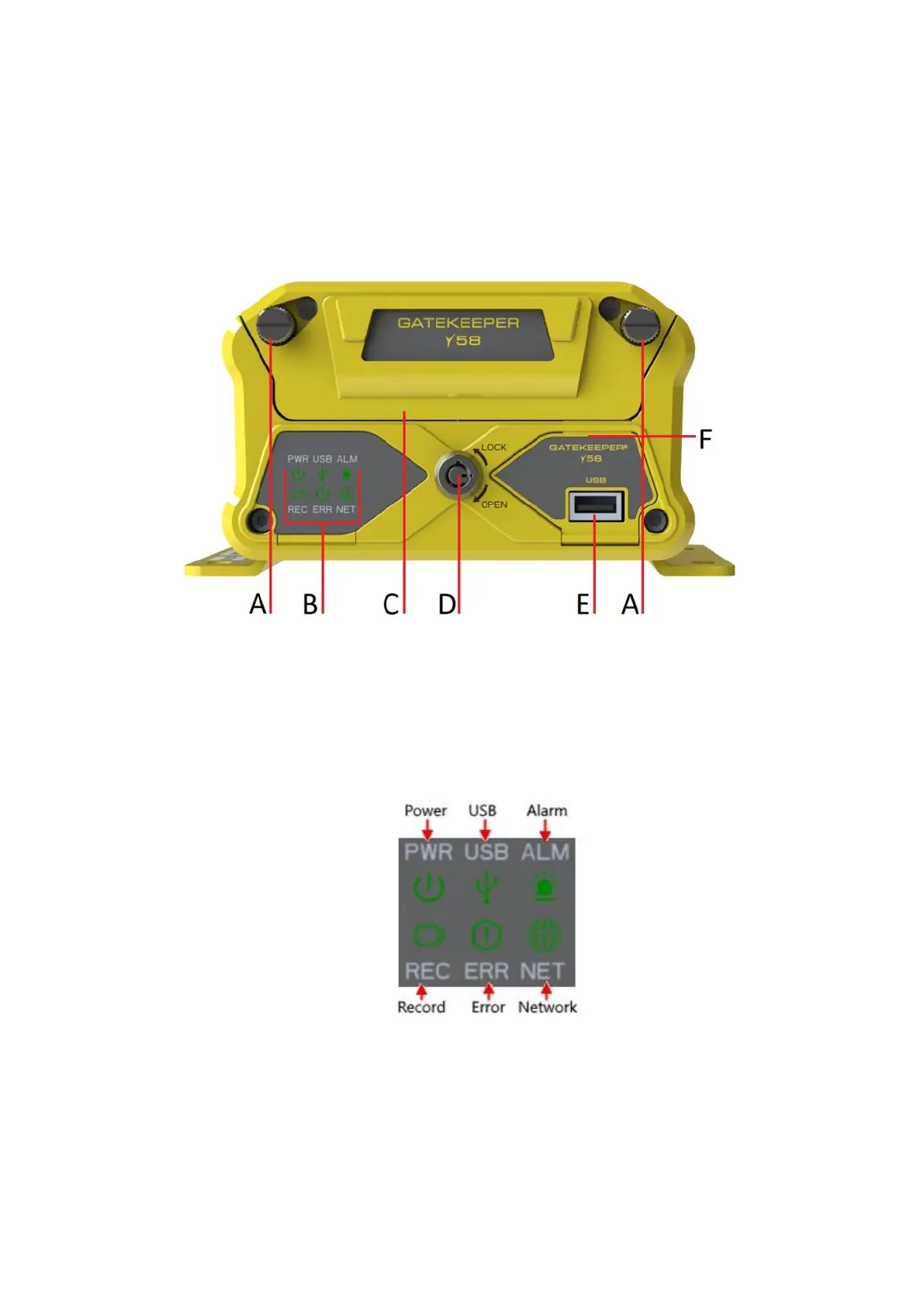
Figure 2-1 Front View of the Y58
A. Spring Pins: Keeps HD caddy in place. Twist and pull to gain access.
B. LED Status Indicators: Status indicator lights which light up and/or flash to alert the user to the
device’s operational status and/or alarm status.
Figure 2-2 Close Up View of the Y58 Status Indicator Lights



 To Next Page