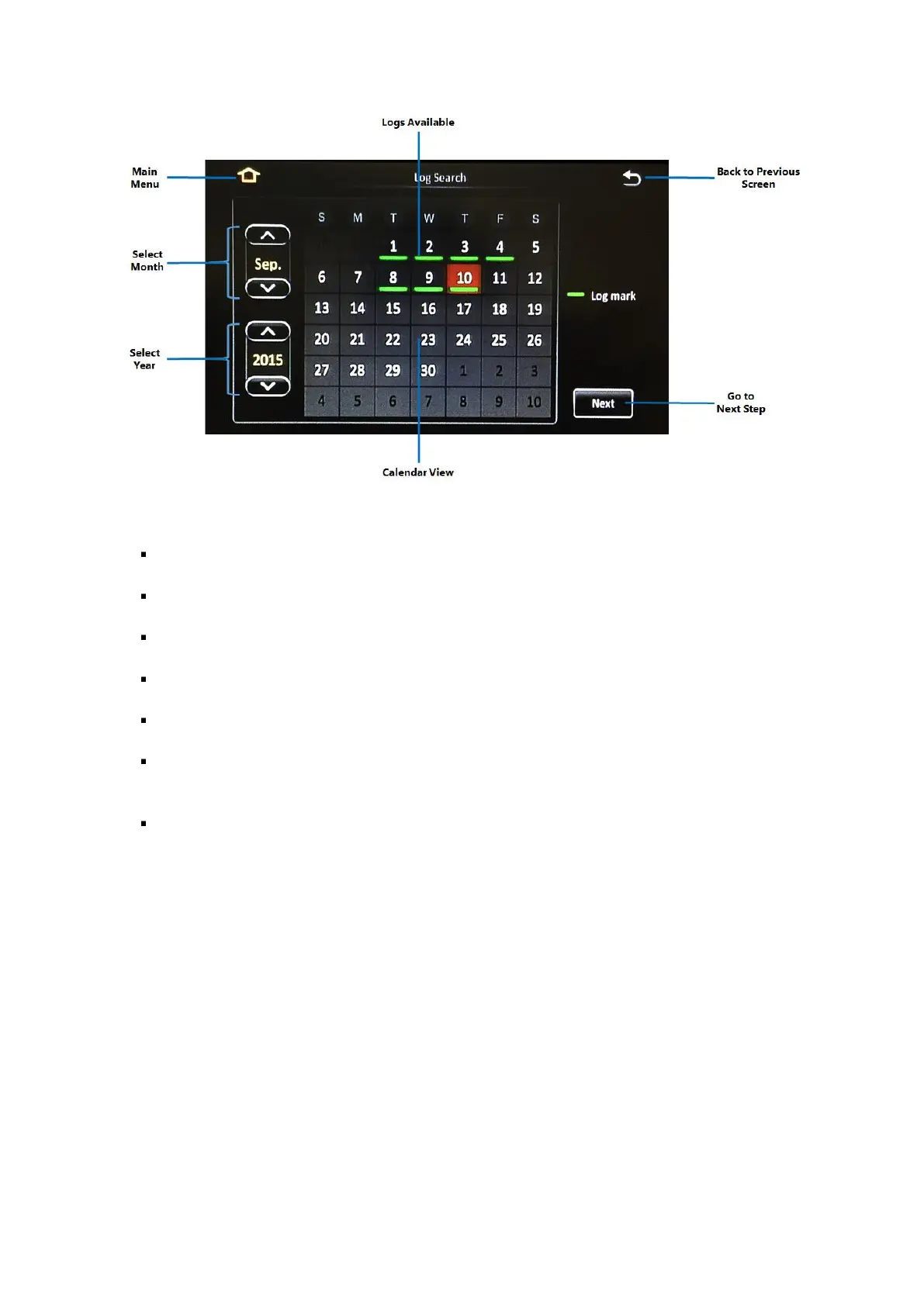
Figure 5-7 Log Search Date Controls
Main Menu: Click this icon to return to the Main Menu.
Back to the Previous Screen: Click this icon to return to the Previous Screen that you were at.
Logs Available: A green bar below the date indicates that log files exist for that particular date.
Select Month: The (˄) and (˅) buttons allow you to scroll through and select the month.
Select Year: The (˄) and (˅) buttons allow you to scroll through and select the year.
Calendar View: The calendar shows the dates for the month and year which has been selected.
Clicking on the date of interest will select it.
Next Step: After selecting the date, click on the (Next) button will proceed to the camera
channel selection screen.



 To Next Page