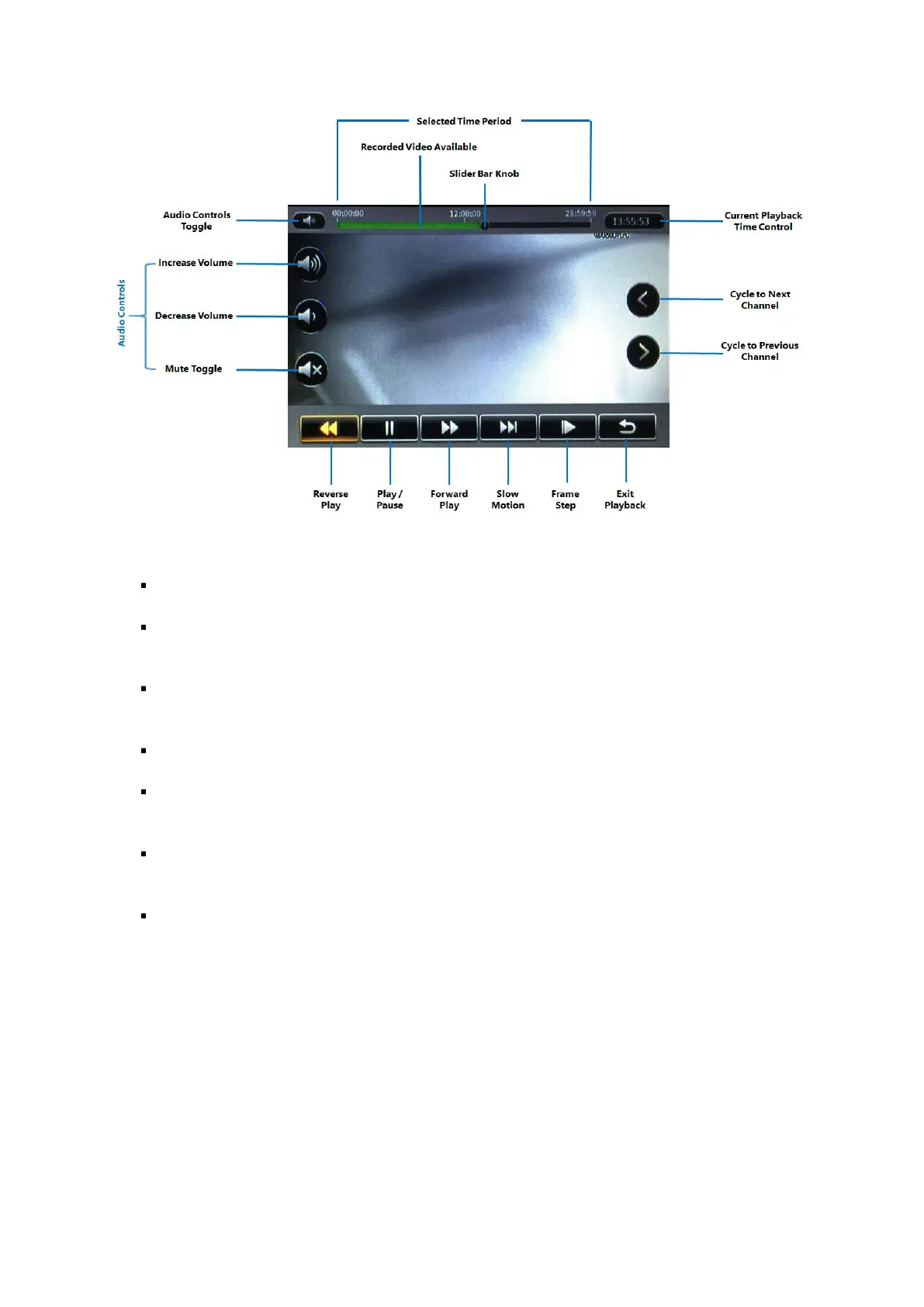
Figure 5-6 REC Search Playback Controls
Selected Time Period: This time bar represents the selected time period.
Recorded Video Available: The green shaded areas in the time bar lets you easily identify where
the recorded video is available.
Slider Bar Knob: Using a Finger Mouse or an ICD2, you can click-and-drag this moveable knob
to the specific time where you wish to view the recorded video.
Audio Controls Toggle: This toggle button lets you show or hide the audio controls.
Increase Volume: Increase the volume of the audio in the video recording currently being played
back.
Decrease Volume: Decrease the volume of the audio in the video recording currently being
played back.
Current Playback Time Control: This shows the current playback time. Clicking on it will bring
up the time control dialog which allows you to key in a specific time (in hh:mm:ss 24-hour time
format) from which to begin the playback.



 To Next Page