3.1.1 Using the Trackball Mouse.
The trackball mouse, together with the accompanying LCD monitor, provides one way to access the
Y58 menu and functions using a familiar graphical user interface point-and-click system.
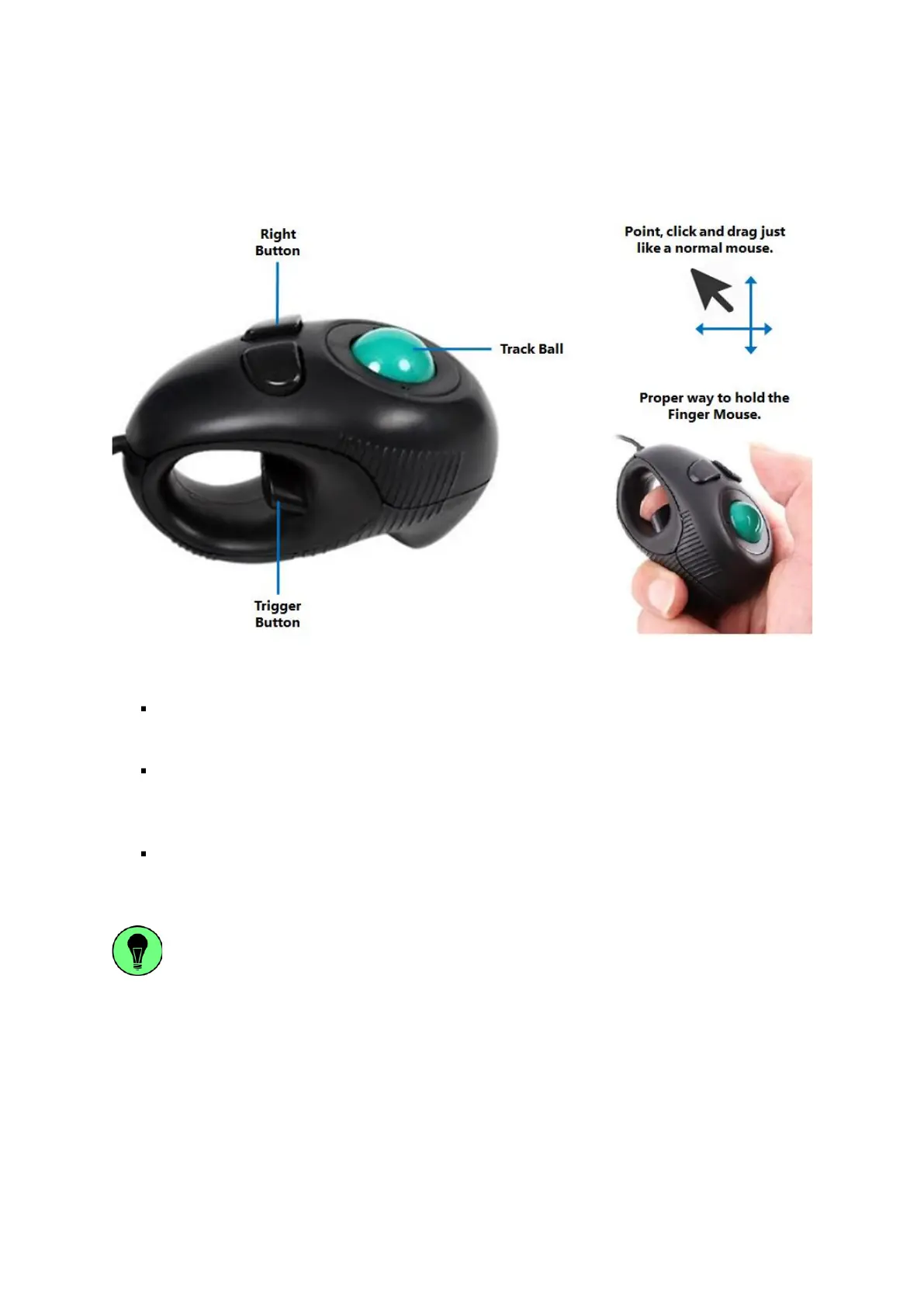
Figure 3-1 Side View of the Finger Mouse
Right Button: When viewing video streams, pressing this button will toggle between showing
and hiding the on-screen quick menu.
Track Ball: This is a finger-operated mouse ball that moves the on-screen mouse pointer in
response to the movement of the trackball. This is used to move the pointer to the left and right
as well as up and down to point to a desired button or menu item.
Trigger Button: Pressing this button will select the screen area, button or menu item that the
on-screen pointer is currently pointed at.
Pressing and holding the Trigger Button whilst simultaneously moving the Trackball will
enable you to perform a click-and-drag action. This allows you to interact with moveable
screen options such as slider bar controls, and to reposition moveable text visually and
intuitively.



 To Next Page