Please adjust the margins if necessary, to ensure the entire screen fits
comfortably within your installed display monitor.
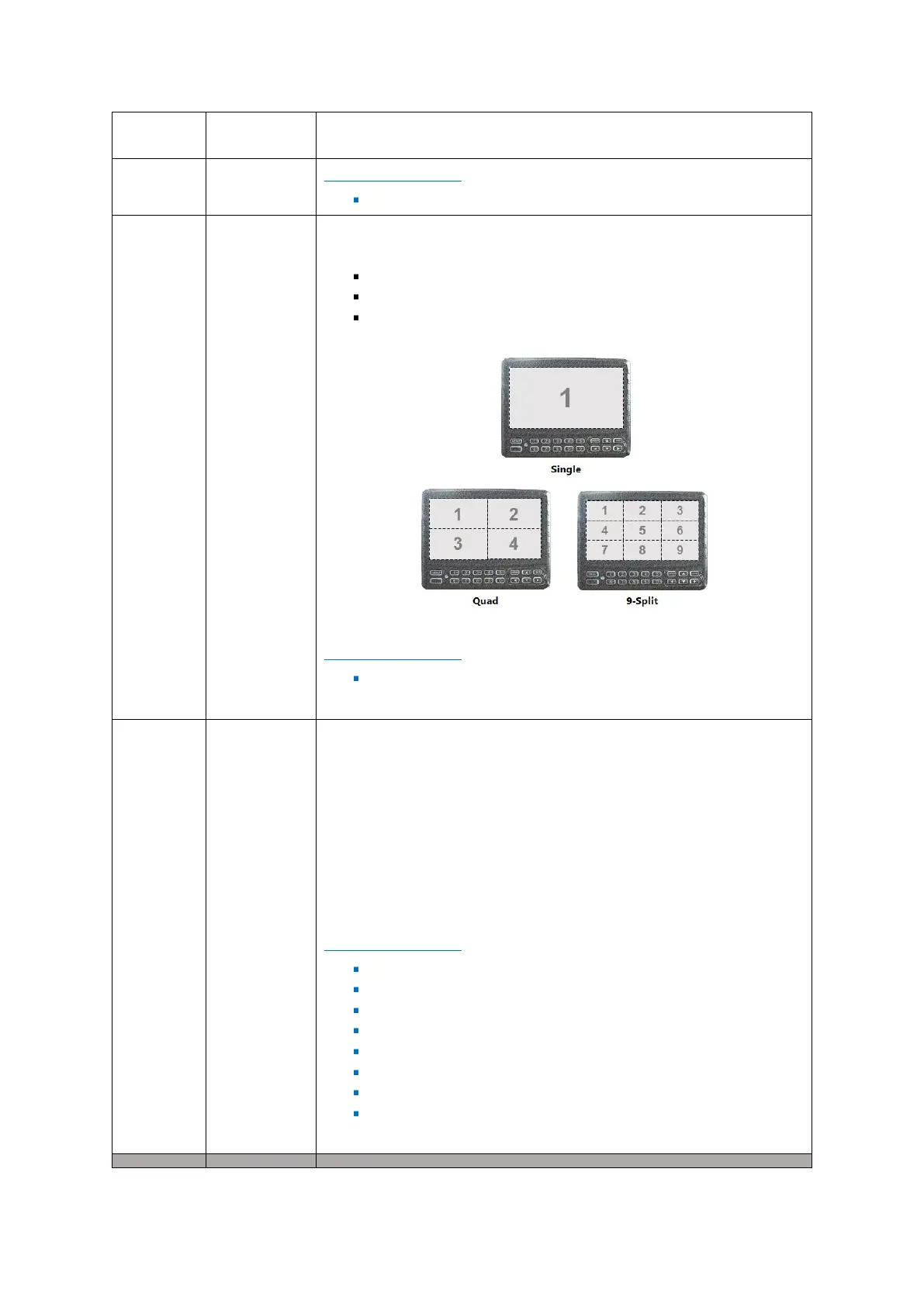
Checkboxes – allows you to select the cameras to be included as part
of the live view displayed channels.
Notes:
- You are allowed to select more display channels than there are
cameras available.
- However, the selected display channels which do not have cameras
will be displayed in the live view as a black box.
DEFAULT SETTINGS:
Checkbox – Channel 1 – Selected
Checkbox – Channel 2 – Selected
Checkbox – Channel 3 – Selected
Checkbox – Channel 4 – Selected
Checkbox – Channel 5 – Unselected
Checkbox – Channel 6 – Unselected
Checkbox – Channel 7 – Unselected
Checkbox – Channel 8 – Unselected



 To Next Page