INSTALLATION
D485 MODBUS TO DEVICENET CONVERTER – USER GUIDE 2–3
CONFIGURATION CABLE The PC connector is indicated as B in Figure 2-1: D485 electrical connections on page 2–2.
This connector is used to connect the D485 to a PC using the configuration cable for
configuration and monitoring purposes.
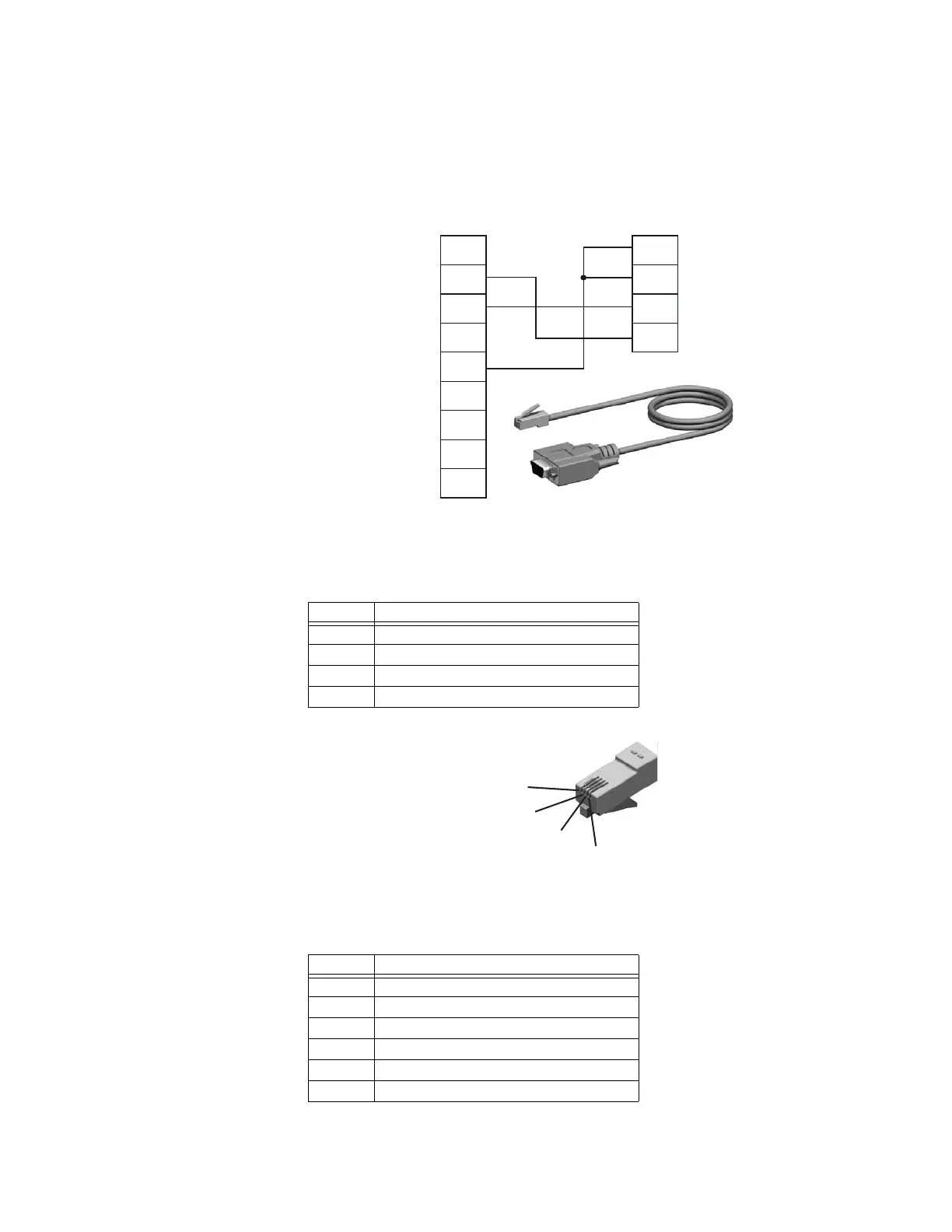
A configuration cable can be purchased from GE Multilin. The wiring for the configuration
cable is shown below.
Figure 2-3: Configuration cable
The pinout for the modular 4/4 RJ11 connector (connects to the D485) is shown below.
Figure 2-4: Configuration cable (D485 end)
The pinout for the DSUB 9-pin serial plug (connects to the PC) is shown below.
Table 2–2: Configuration cable pin assignments (D485 end)
Pin Description
1 Signal ground
2 Signal ground
3 RS232 Rx, data input to D485
4 RS232 Tx, data output from D485
Table 2–3: Configuration cable pin assignments (PC end)
Pin Description
1 Not connected
2 RS232 Rx, data input to PC
3 RS232 Tx, data output from PC
4 Not connected
5 Ground
6 to 9 Not connected
1
2
3
4
5
6
7
8
9
1
2
3
4
D-sub 9 female (PC) Modular 4/4 RJ11 connector (
D485)
Ground
Ground
Rx
Tx
RS232 Tx
RS232 Rx
Ground
Connects to PC serial port
Connects to
D485



 To Next Page