SOFTWARE OVERVIEW
D485 MODBUS TO DEVICENET CONVERTER – USER GUIDE 4–3
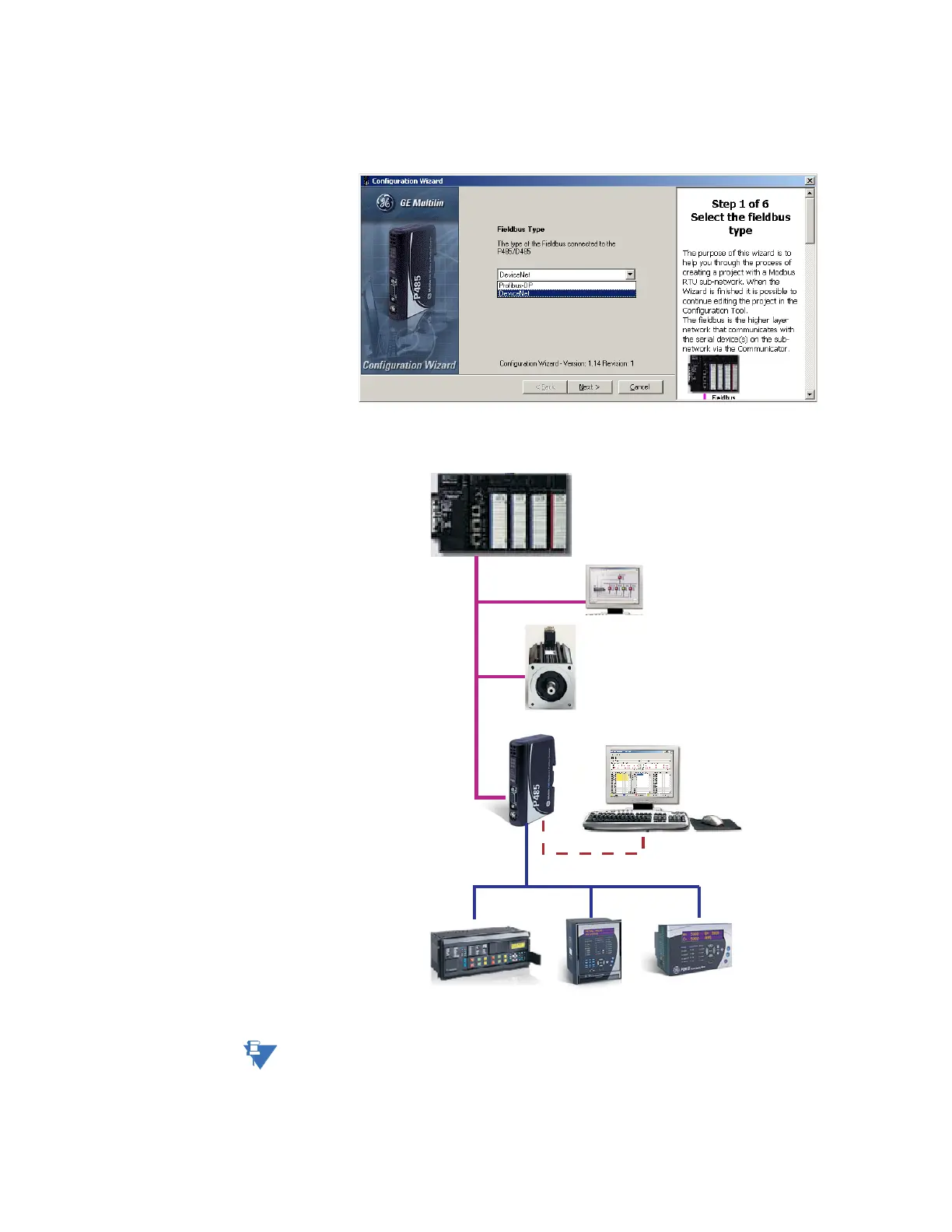
SELECT FIELDBUS TYPE The first step in the configuration wizard selects the fieldbus type. The fieldbus is the
higher layer network that communicates with the serial device(s) on the Modbus sub-
network via the D485 converter.
Select “DeviceNet” then click Next to continue. A typical DeviceNet network arrangement
is shown below.
Figure 4-1: Typical network arrangement
In the event the wizard cannot handle the specific Modbus command(s) required by the
device, use the regular configuration tool or modify the commands produced by the
wizard using the regular configuration tool.
Sub-Network (Modbus)
PC for configuration
and Monitoring
Fieldbus Network (Profibus or DeviceNet)
Fieldbus
Master (PLC)
HMI
Fieldbus
Slave
GE Converter
(P485 or D485)
GE Relays & Meters



 To Next Page