9–6 D485 MODBUS TO DEVICENET CONVERTER – USER GUIDE
APPLICATION EXAMPLE
INSTALLING THE
ENERVISTA P485/D485
SETUP SOFTWARE
The following procedure describes how to configure the EnerVista P485/D485 Setup
software.
1. Install the EnerVista P485/D485 Setup software.
2. Connect the configuration port of D485 to the PC via the configuration cable.
3. Connect the devices (PQMII and MM2) to D485 through the DB-9 Modbus network
connector using the proper RS485 connections shown below.
STARTING THE
CONFIGURATION
WIZARD
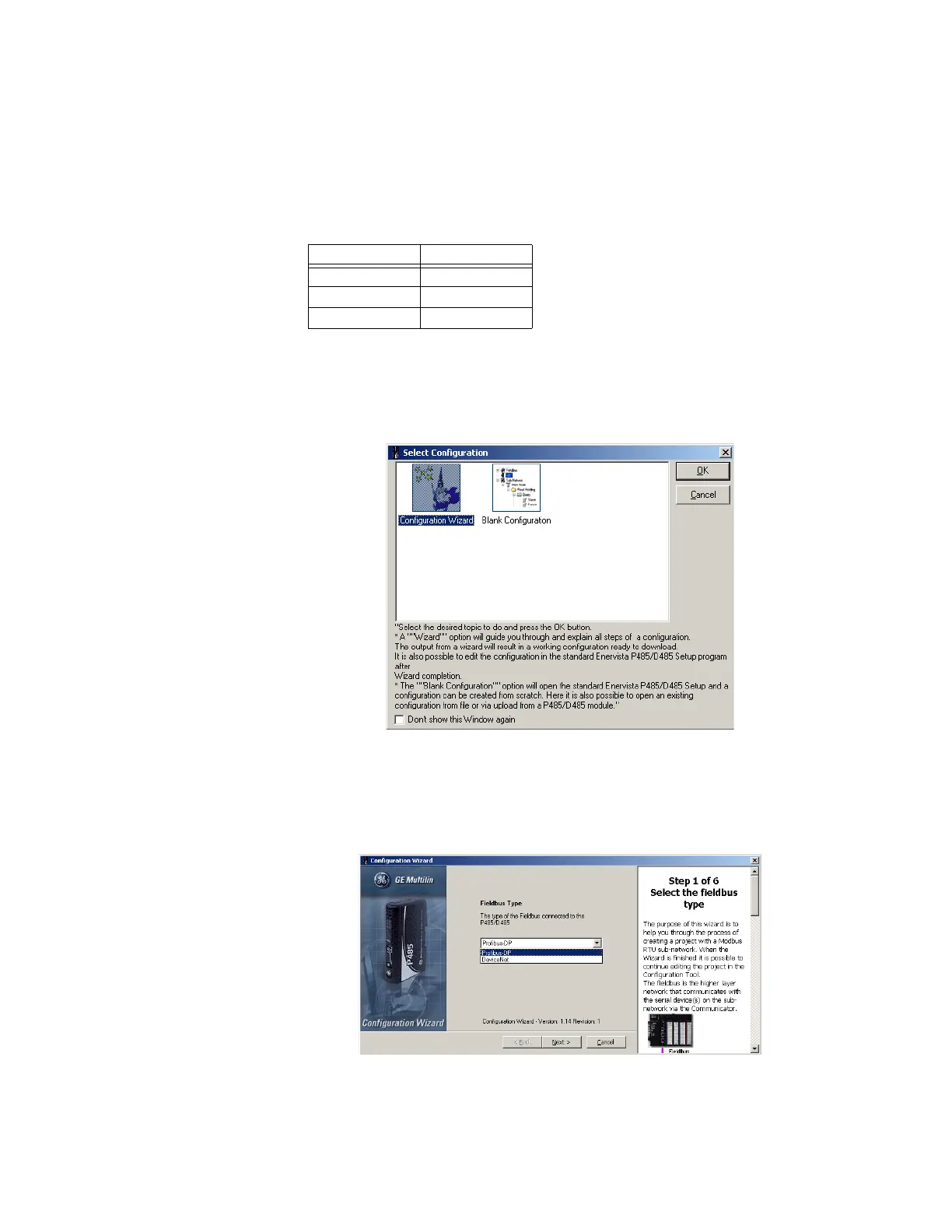
Start the D485 configuration wizard as follows.
1. Launch the EnerVista P485/D485 Setup software.
2. A window for selecting a configuration will be displayed. Select the Configuration
Wizard icon.
Figure 9-4: Select configuration wizard
3. Click OK to proceed to step 1 of the configuration wizard.
STEP 1: SELECTING THE
FIELDBUS TYPE
The first step in the configuration wizard is setting the fieldbus type.
1. Set the Fieldbus type to “DeviceNet”.
Figure 9-5: Select fieldbus type
2. Click Next to proceed to step 2 of the configuration wizard.
DB9 pin Description
5 Ground
8 RS485 +
9 RS485 –



 To Next Page