APPLICATION EXAMPLE
D485 MODBUS TO DEVICENET CONVERTER – USER GUIDE 9–11
5. Click Next to proceed to the final step of the configuration wizard
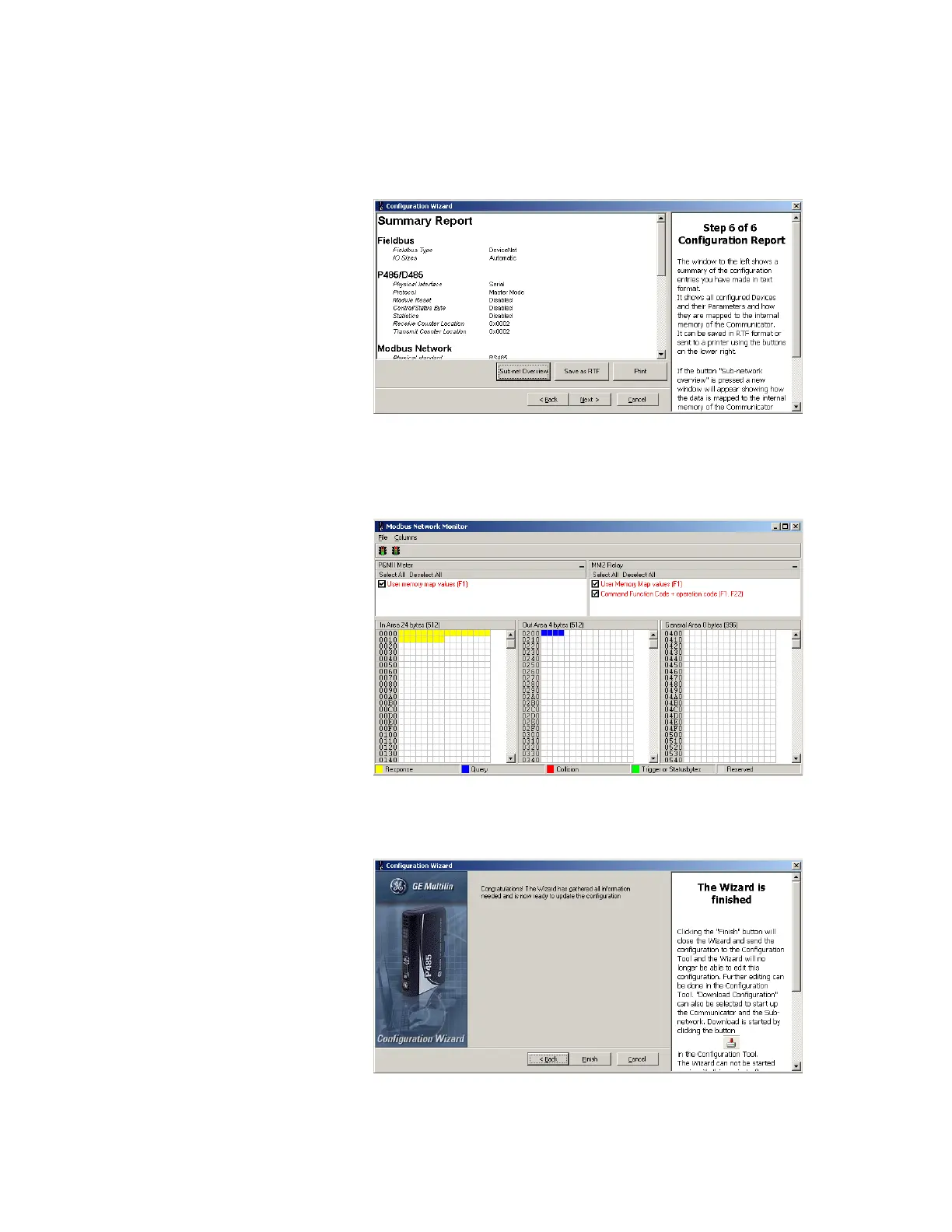
STEP 6: CONFIGURATION
REPORT
The final step in the wizard provides a configuration report for the device.
1. If desired, click on Print to print the configuration report.
Figure 9-17: Configuration report
2. For future reference, saved the file in RTF format by clicking the Save as RTF button
and selecting an appropriate directory.
3. Click the Sub-net Oveview button to view the data mapping.
Figure 9-18: Modbus network monitor
4. Close the Modbus network monitor window.
5. Click on Next to complete the configuration wizard.
Figure 9-19: Wizard finished



 To Next Page