8–6 D485 MODBUS TO DEVICENET CONVERTER – USER GUIDE
ADVANCED FUNCTIONS
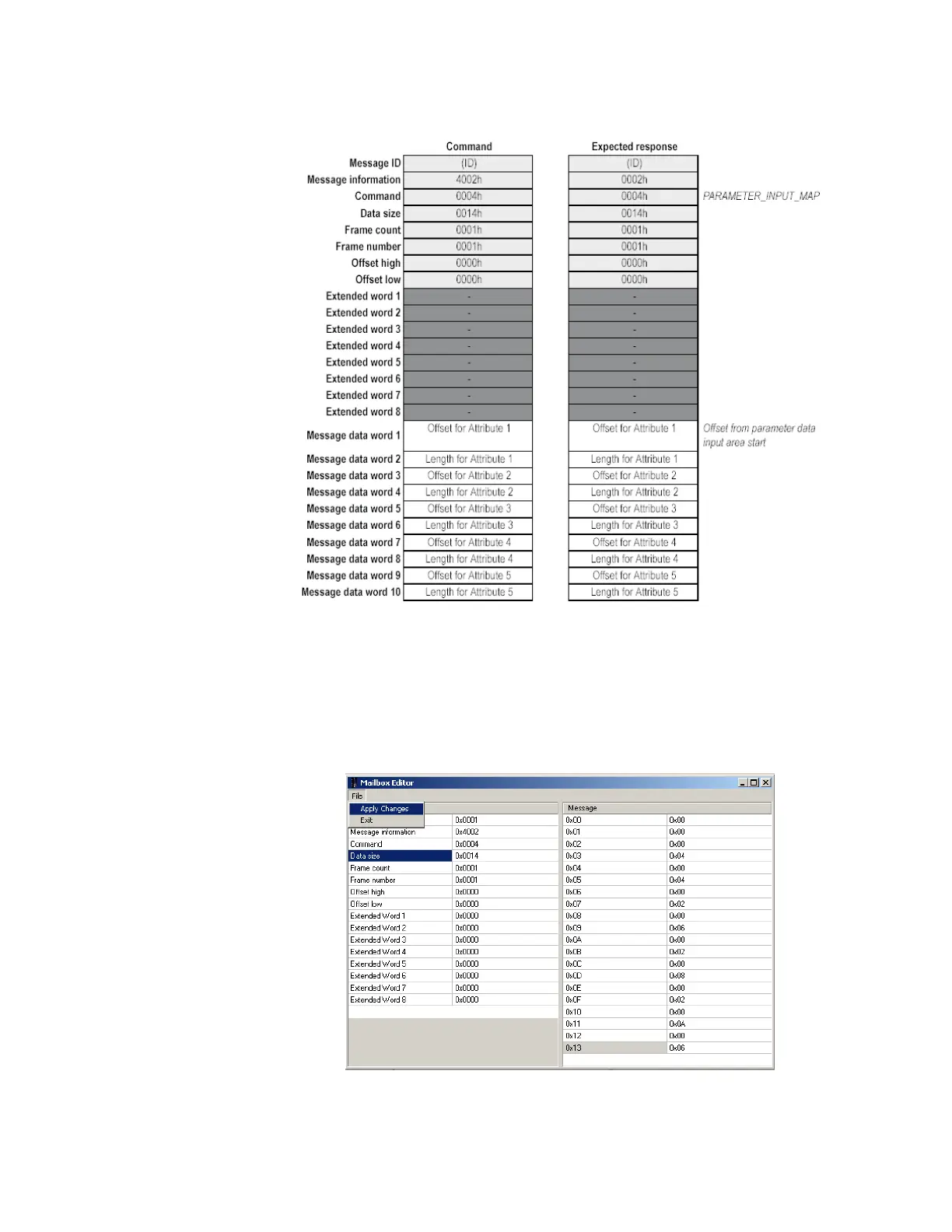
A command and response layout example for setting 1 to 5 attributes is shown below.
Figure 8-4: Command and response layout for parameter input area
The following figure shows the mailbox command to set 1 to 5 attributes. Note that the
message field opens only after entering the data size.
Attribute 1 length = 4 bytes
Attribute 2 length = 2 bytes
Attribute 3 length = 2 bytes
Attribute 4 length = 2 bytes
Attribute 5 length = 6 bytes
Figure 8-5: Mailbox example for parameter data input mapping
The mailbox command should be saved before closing the mailbox command window.



 To Next Page