12
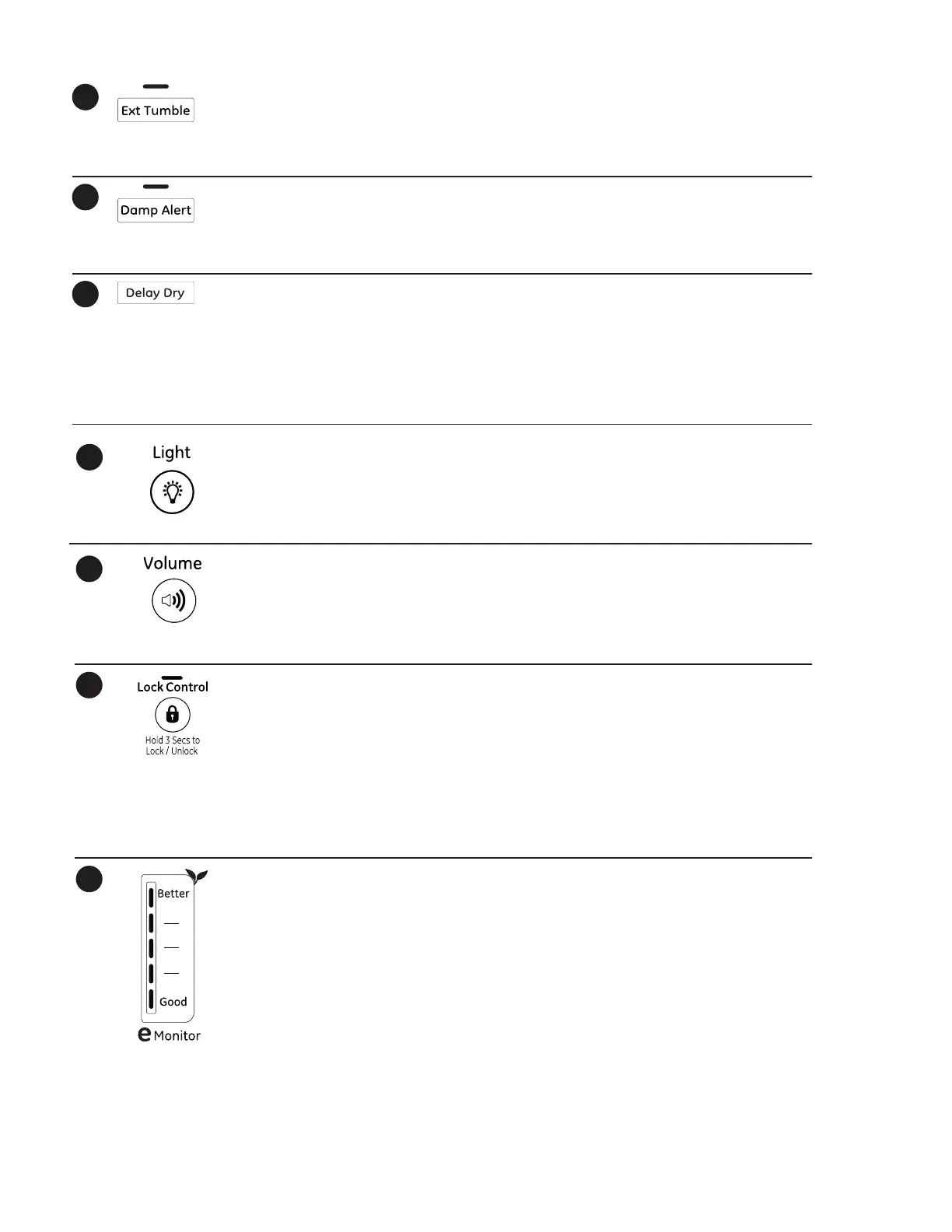
Ext en d ed Tu m b l e
Minimizes wrinkles by adding approximately 60
minutes of no-heat tumbling after clothes are
dry. The beeper will sound every five minutes as a
reminder to remove the clothes.
Th e est i m a t ed t i m e r em a i n i n g d i sp l a y w i l l sh o w
“0:00”.
Th e ex t e n d e d t u m b l e t i m e d o es n o t g e t a d d ed t o
the cycle time on the display.
11
Damp Alert
Th i s o p t i o n c a u ses t h e d r y e r t o b e ep w h en c l o t h es
have dried to a damp level. Remove items that you
wish to hang dry. The Damp Alert will only beep
when this option is selected.
Rem o v i n g c l o t h e s a n d h a n g i n g t h e m w h e n t h e y a
damp can reduce the need to iron some items.
12
Delay Dry
Use t o delay t he start of your dryer.
1. Choose your dry cycle and any options.
2. Press Delay Dry. You can change t he delay time
in 1 hour increments, using the Delay Dry button.
3. Press the St a r t / Pa u s e button to start the
countdown.
NOTE: If the door is opened while the dryer is in
Delay Dry, the count down time will not restart
unless the door is closed and St a r t / Pa u s e butto
has been pressed again.
13
Light (on some models)
Pr ess t h e bu t t o n t o t u r n o n t h e l ig h t i n t h e
dryer.
Pr ess t h e bu t t o n ag a in t o t u r n t h e l i gh t o f f .
Th is o nl y con t r o ls t h e l ig ht w hen t h e d oo r i s
shut.
NOTE: Th e li ght w i ll t u r n of f by i t sel f a f t er
one minute when the door is shut.
14
Vol ume
Alert s you t hat t he cycle is complet e. The beeper
will continue to sound every minute for the next
5 minutes, until the clothes have been removed.
Th e c l o t h e s sh o u l d b e r e m o v ed w h e n t h e b eep er
goes off so wrinkles don’t set in.
Pr e ss Vol ume to select low, medium or high
volume, or to turn the beeper off.
Lock Cont rol
Yo u c a n l o c k t h e c o n t r o l s t o p r e v e n t a n y
selections from being made. Or you can lock
or unlock the controls after you have started
a cycle.
Ch i l dr e n c an n o t a c ci d en t a l ly st a r t t h e d r y er b y
touching buttons with this option selected.
To l ock t h e d r yer , p r ess a nd h ol d t h e Lock
Con t r o l button for 3 seconds.
To u nl oc k t h e d r yer c on t r o l s, pr ess a nd h ol d
the Lock Contr ol button for 3 seconds.
A sound is made t o indicat e t he lock/ unlock
status.
Th e i nd ic at o r l i gh t ab o ve t h e b ut t o n w il l
illuminate when the controls are locked.
NOTE: The Pow er button can still be used
when the machine is locked.
15
16
17
eMonit or (on some m odel s)
Th e eMonit or lights display the relative
energy use of your selected cycle and options.
Th ey a r e p ro vi ded a s a n en er gy g ui d e a nd
range from Good (1 light) to Better (5 lights).
Cyc l e (t i m e), d r y n ess lev el, t em p er a t u r e, a n d
additional tumble options can increase or
decrease your energy efficiency. Some cycles
will not provide a display.



 To Next Page