3
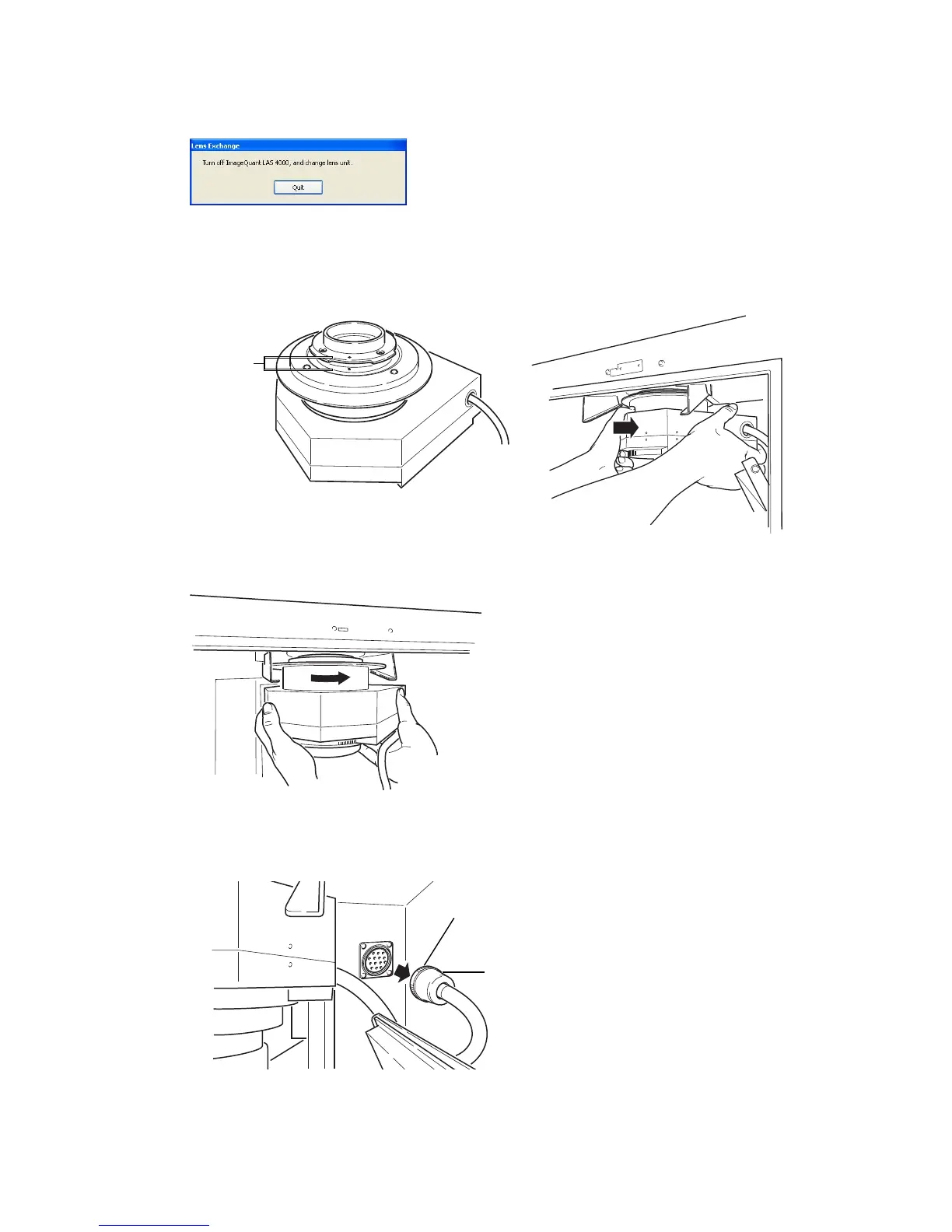
Turn off the instrument using the power switch.
4
Remove the end cap from the lens.
5
Insert the lens along the lens guide with the red point facing towards you.
6
Raise the lens into position and rotate it clockwise to lock in position.
7
Connect the lens cable.
Turn the knurling ring until it is securely fixed.
Connector of the lens cable
Knurling ring
Note:
Be sure to connect the lens cable. Otherwise, the high sensitivity lens cannot be
recognized. This may also cause malfunction.
36 Getting Started with ImageQuant LAS 4000 28-9607-59 AB
3 Installation
3.5 Installation of hardware
3.5.3 Installing the lens



 To Next Page
 Loading...











