ActionNo.
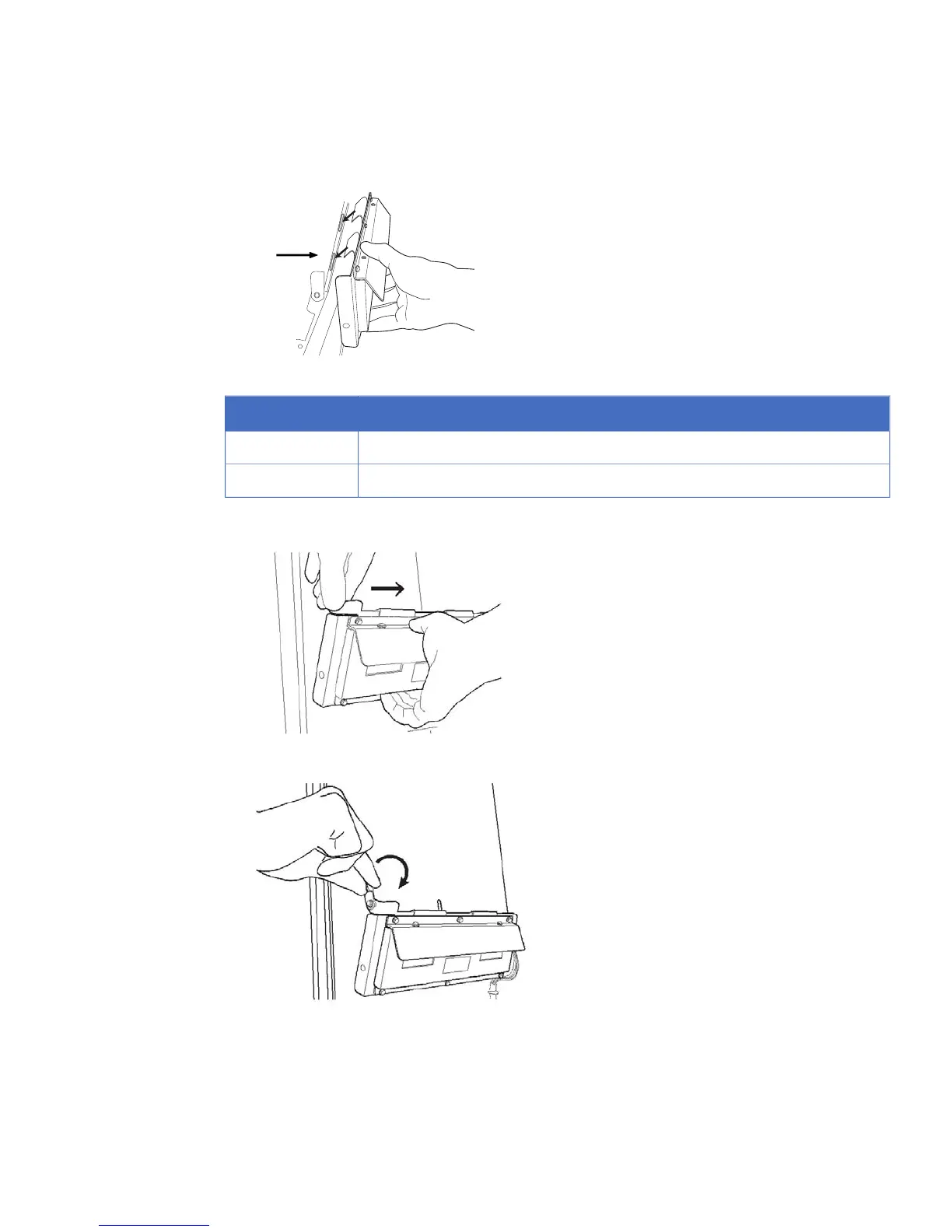
Two guide holes are located on the back of the Epi light base.1
Slide the hook after attaching the guide pins to the guide holes.2
6
Push the Epi light while holding the latch open, and slide it inwards until a click sound is heard.
7
Lower the latch to lock the Epi light in place.
8
Repeat steps 4 - 7 for the opposite side.
Note:
•
The Epi lights are clearly labelled L for the left and R for the right sides.
•
Install the Epi lights in matching pairs only. If Epi lights with different wavelengths
are used, the intended image will not be obtained.
Getting Started with ImageQuant LAS 4000 28-9607-59 AB 41
3 Installation
3.5 Installation of hardware
3.5.6 Installing Epi light sources



 To Next Page
 Loading...











