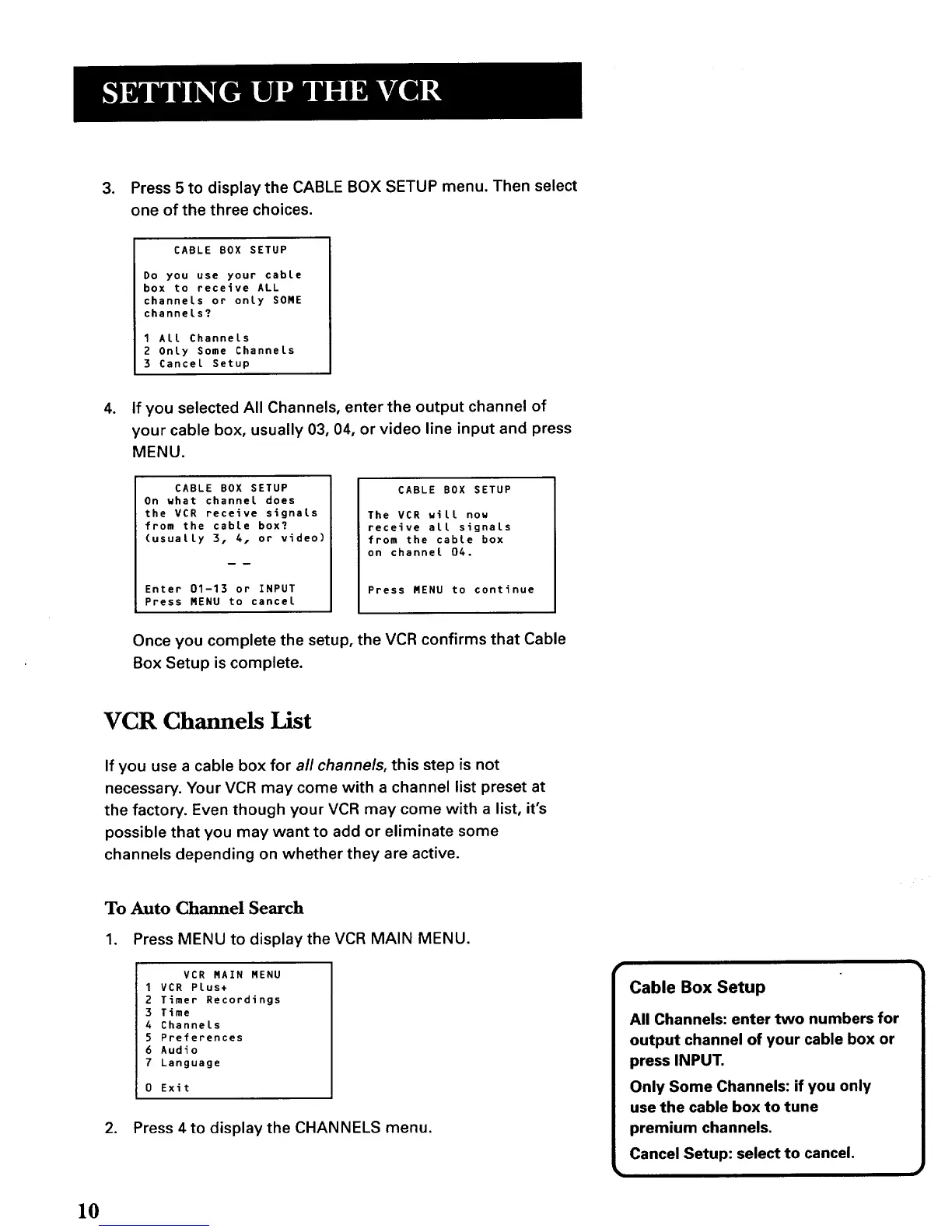
3. Press 5 to display the CABLE BOX SETUP menu. Then select
one of the three choices.
CABLE BOX SETUP
Do you use your cable
box to receive ALL
channels or only SOME
channels?
I All Channels
2 Only Some Channels
3 Cancel Setup
. If you selected All Channels, enter the output channel of
your cable box, usually 03, 04, or video line input and press
MENU.
CABLE BOX SETUP
On what channel does
the VCR receive signals
from the cable box?
(usually 3, 4, or video)
Enter 01-13 or INPUT
Press MENU to cancel
CABLE BOX SETUP
The VCR will now
receive all signals
from the cable box
on channet 04.
Press MENU to continue
Once you complete the setup, the VCR confirms that Cable
Box Setup is complete.
VCR Channels List
If you use a cable box for all channels, this step is not
necessary. Your VCR may come with a channel list preset at
the factory. Even though your VCR may come with a list, it's
possible that you may want to add or eliminate some
channels depending on whether they are active.
To Auto Channel Search
1. Press MENU to display the VCR MAIN MENU.
VCR MAIN MENU
1 VCR Plus+
2 Timer Recordings
3 Time
4 Channels
5 Preferences
6 Audio
7 Language
0 Exit
2. Press 4 to display the CHANNELS menu.
Cable Box Setup
All Channels: enter two numbers for
output channel of your cable box or
press INPUT.
Only Some Channels: if you only
use the cable box to tune
premium channels.
Cancel Setup: select to cancel.
10



 To Next Page