VCR+ Channel My Channel
5 --
4 --
3 -> -> -> --
2 --
I --
Use CH +/- to select
Press 0-9 to change
Press MENU to save
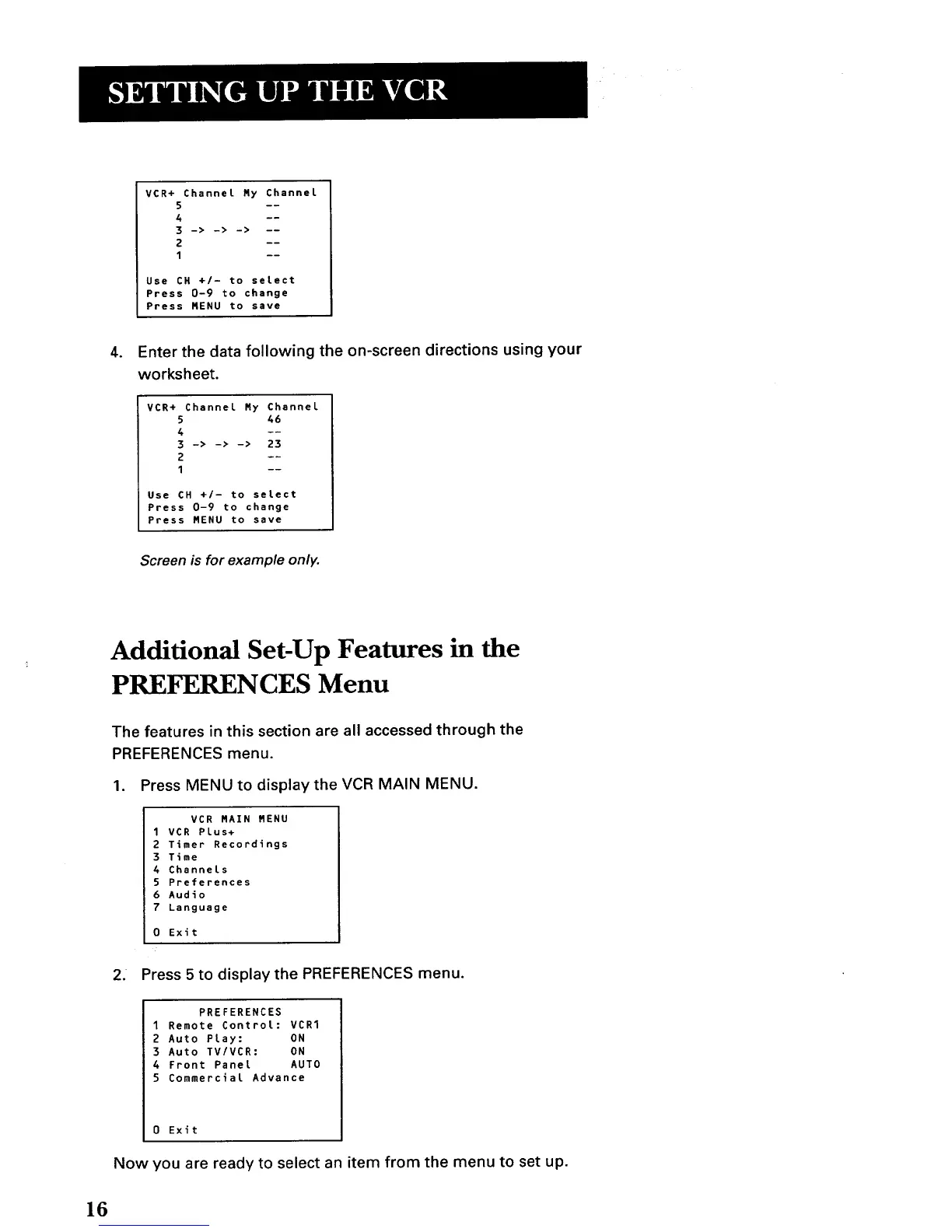
. Enter the data following the on-screen directions using your
worksheet.
VCR+ Channel My Channel
5 46
4 --
3 -> -> -> 23
2 --
I --
Use CH +/- to select
Press 0-9 to change
Press MENU to save
Screen is for example only.
Additional Set-Up Features in the
PREFERENCES Menu
The features in this section are all accessed through the
PREFERENCES menu.
1. Press MENU to display the VCR MAIN MENU.
VCR MAIN MENU
1 VCR PLus+
2 Timer Recordings
3 Time
4 Channels
5 Preferences
6 Audio
7 Language
0 Exit
2. Press 5 to display the PREFERENCES menu.
PREFERENCES
1 Remote Control: VCR1
2 Auto Play: ON
3 Auto TV/VCR: ON
4 Front Panel AUTO
5 Commercial Advance
0 Exit
Now you are ready toselectan item from the menu tosetup.
16



 To Next Page