Content
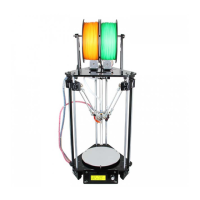
About A10 3D Printer
...................................................................................................................................................................
1
Preparation
....................................................................................................................................................................................
2
1. Check Power Supply
................................................................................................................................................................
3
2. Software Resources
..................................................................................................................................................................
3
2.1 Repetier-Host
..................................................................................................................................................................
3
2.2 Arduino IDE
...................................................................................................................................................................
3
2.3 Firmware
.........................................................................................................................................................................
3
3. USB Driver Installation
............................................................................................................................................................
4
3.1 USB Driver Installation for Win7 OS
............................................................................................................................
4
3.2 USB Driver Installation for Mac OS
..............................................................................................................................
4
4. Set up Repetier Host
.................................................................................................................................................................
5
4.1 Create New Printer
.........................................................................................................................................................
6
4.2 Connection
......................................................................................................................................................................
7
4.3 Printer
.............................................................................................................................................................................
9
4.4 Extruder
........................................................................................................................................................................
10
4.5 Printer shape
.................................................................................................................................................................
11
4.6 Connect the Printer
.......................................................................................................................................................
13
5. Function Testing
.....................................................................................................................................................................
14
5.1 Repetier-Host Test
........................................................................................................................................................
14
5.1.1 Motor Test
..........................................................................................................................................................
14
5.1.2 Heating Test
.......................................................................................................................................................
21
5.1.3 Extruder test
.......................................................................................................................................................
22
5.2 LCD Controller Test
.....................................................................................................................................................
24
5.2.1 LCD Menu Introduction
....................................................................................................................................
24
5.2.2 Use LCD for Motor Test
...................................................................................................................................
27
6. Build platform leveling
...........................................................................................................................................................
28
7. Slic3r Setting
.......................................................................................................................................................................
30
7.1 Printing Setting
.............................................................................................................................................................
31
7.2 Filament Setting
............................................................................................................................................................
33
7.3 Printer Setting
...............................................................................................................................................................
34
7.4 Other parameters
..........................................................................................................................................................
37
8. Start Printing
...........................................................................................................................................................................
42
8.1 Load the Printing Model
...............................................................................................................................................
42
8.2 Slicing
...........................................................................................................................................................................
43
8.3 Stand-alone Printing with SD card
...............................................................................................................................
46
8.3.1 Save
...................................................................................................................................................................
46
8.3.2 Printing
..............................................................................................................................................................
47
9.FAQ
..........................................................................................................................................................................................
48
9.1 How to upload the firmware?
.......................................................................................................................................
48
9.1.1 upload the firmware in Win7 OS
......................................................................................................................
48
9.1.2 Upload the firmware in Mac OS
.......................................................................................................................
49
9.2 Change the motor direction
..........................................................................................................................................
50
9.3 Motors can’t work
........................................................................................................................................................
51
9.4 Extruder can’t work/ extrusion not fluent
....................................................................................................................
51



 To Next Page