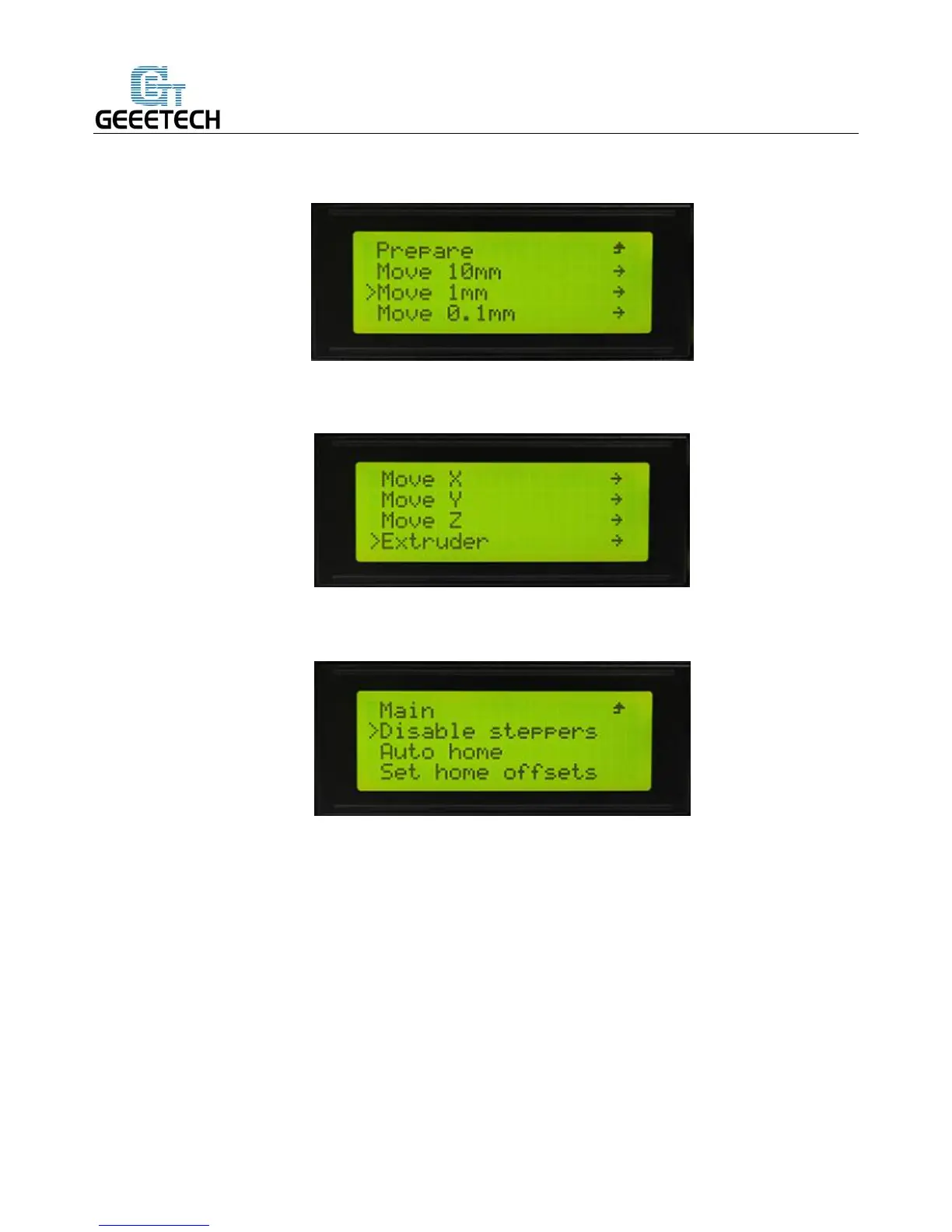
move 1mm to test each axis.
Choose the axis you need to move: Move X/Y/Z/E. Rotating the knob can make each axis move.
After testing each axis, if you want to unlock the motors, choose Prepare>Disable steppers
:
6. Build platform leveling
Before printing, please check whether the moving path of the extruder is parallel with the heatbed or not,
which is called leveling. We need make sure the distances from the nozzle of the extruder to the four
cornered of the heatbed are the same, and only in this way can we get good printing quality.
a. Home the printer.



 To Next Page