ADP200 Application PID-IMM User Manual Pag. 21 of 80
Step 3 – Self-tuning with rotating motor / at stand-still or coupled to the load
The drive carries out the motor autotune procedure (real measurement of motor parameters).
Autotuning may take a few minutes.
Note ! If this operation generates an error message (e.g. Error code 1), check the connections of the power and control
circuits (see step 1 - Connections), check the motor data settings (see step 2 - Setting motor parameters) and then
repeat the guided Autotune procedure.
Note ! Autotuning can be cancelled at any time by pressing
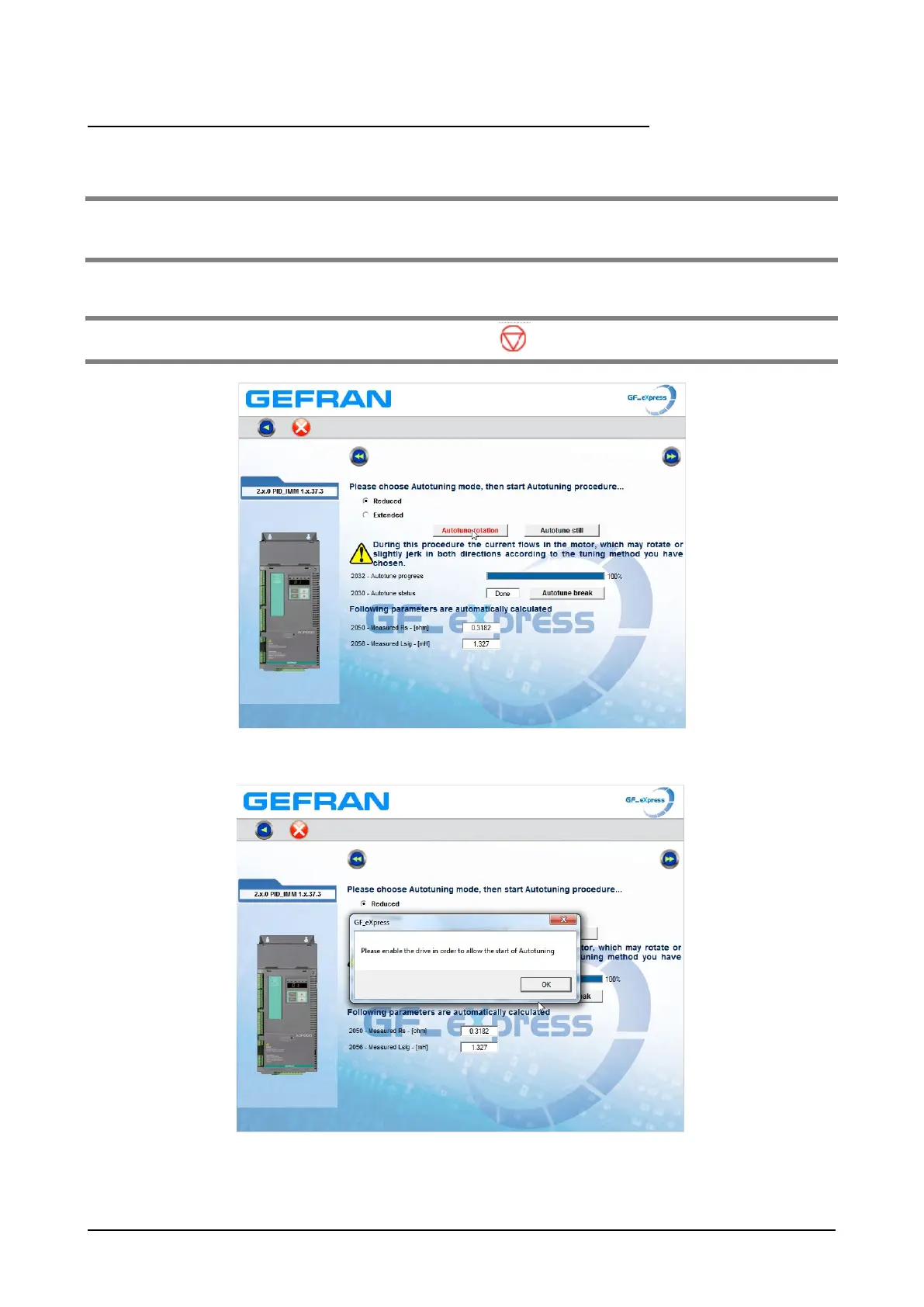
If you press the “Autotune rotation” or “Autotune still” button, the following message appears:
Bring the Enable input to 24V, then press the “Autotune rotation” or “Autotune still” button. The autotune
sequence starts. The percentage of progress is shown on the “autotune progress” bar.



 To Next Page