English
-13-
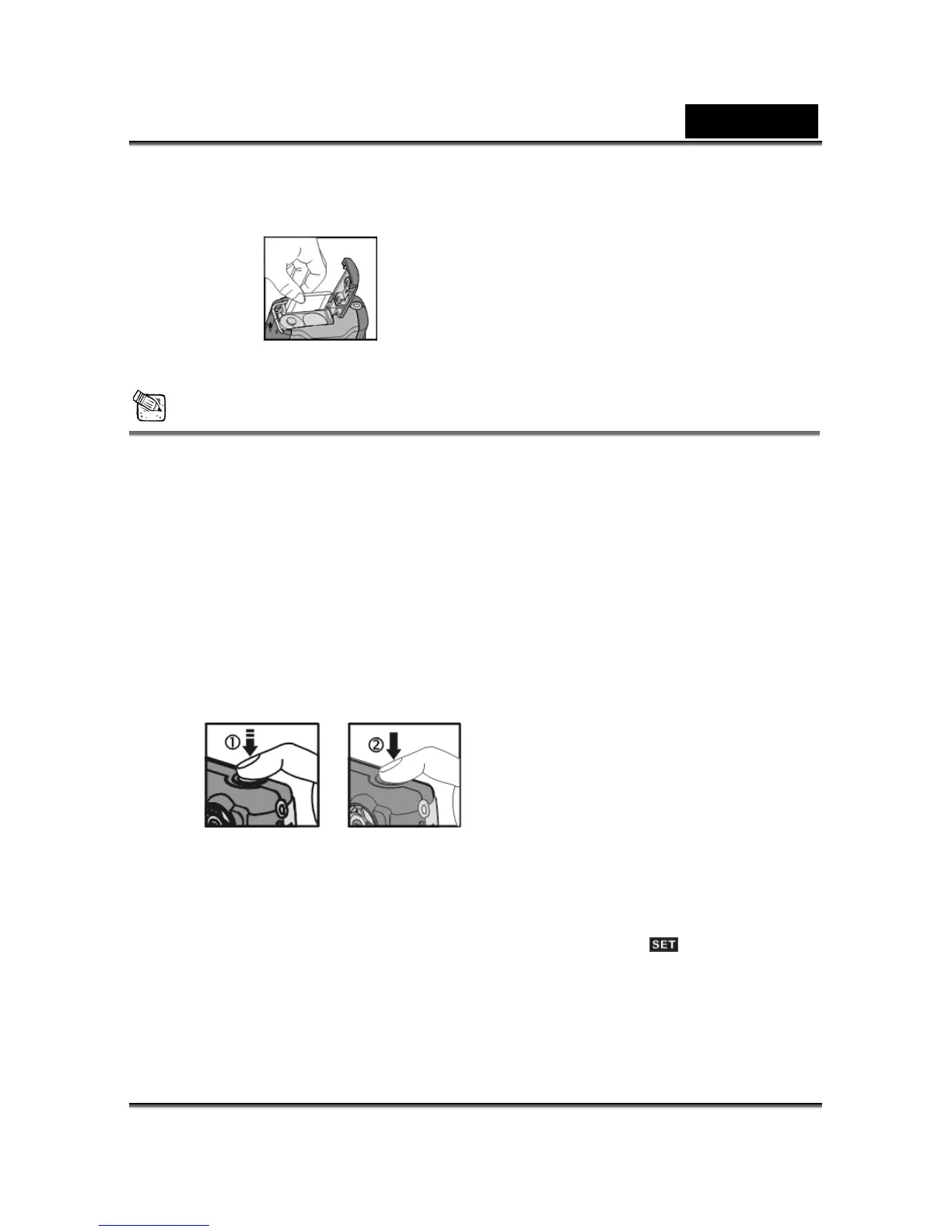
● The memory card will bounce upward.
● Pull the memory card out with your fingers in the correct direction.
NOTE
● There is 16MB internal memory built-in to the camera to save your data:
If there is a memory card inserted, it will be the top priority for saving data.
If you want to store data in the internal memory, please remove the memory card first.
● The specification of a memory card applicable to this camera is SD or MMC
(4/8/16/32/64/128/256/512MB).
● If inserting the memory card in the wrong direction, it will not fit. Do not insert the card
roughly to avoid damage.
● If the camera detects no memory card, please gently wipe the metal interface of the
card with a soft cloth and reload the card again.
3-4 Shutter Button
Press the Shutter button down fully and the camera beeps; then releases the Shutter
button to take a picture.
3-5 Setting Up the OSD Language
Before using the camera, please turn the Mode Dial to Setup Mode and then select
"Language" to set the OSD language.



 To Next Page