English
-27-
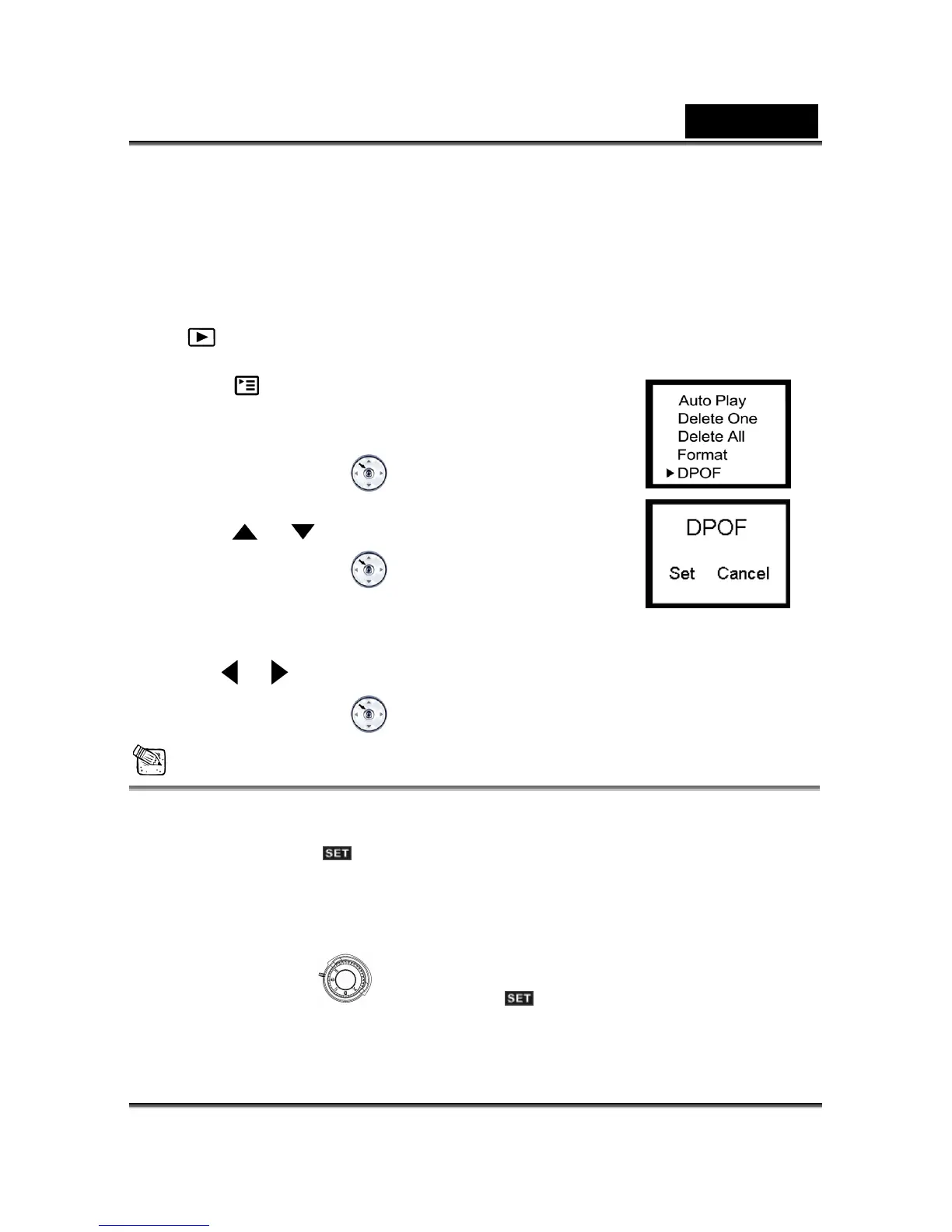
would like. You connect your memory card to a DPOF enabled printer that accepts SD
memory cards. The DPOF/card-compatible printer will read the embedded information on
1. on r button to turn on the camera, and toggle the MODE button to select
the memory card and print your images as specified.
Click the Powe
the
mode.
Press the 2.
button until thumbnail screen appears on the
3. E
display screen.
Press the M NU/ENTER
button, then select DPOF by
or
using the
butt
Press the MENU
on.
4. /ENTER
button, then the DPOF
menu appears.
5. Use the
or button to ect Set or Cancel. sel
6. P ENTER button to confirm the selection. ress the MENU/
NOTE
The DPOF function can only be operated with the memory card inserted.
5-3 Setup Mode
By using the Setup Mode, you can adjust the basic camera functions, including: OSD
anguage, Date/Time, Auto Power off, TV-Out, Frequency and Default Setting items. To
setup these items, perform the following:
1.
L
Turn the Mode Dial to Setup Mode .
Use the lens cover loca2. ted on the front of the camera to turn on/off camera. After you



 To Next Page