English
-6-
2-2 LED Indicators
This is what the LED indicators located on the top of LCD monitor mean:
Power Mode
(Green LED)
Flash Mode
(Red LED)
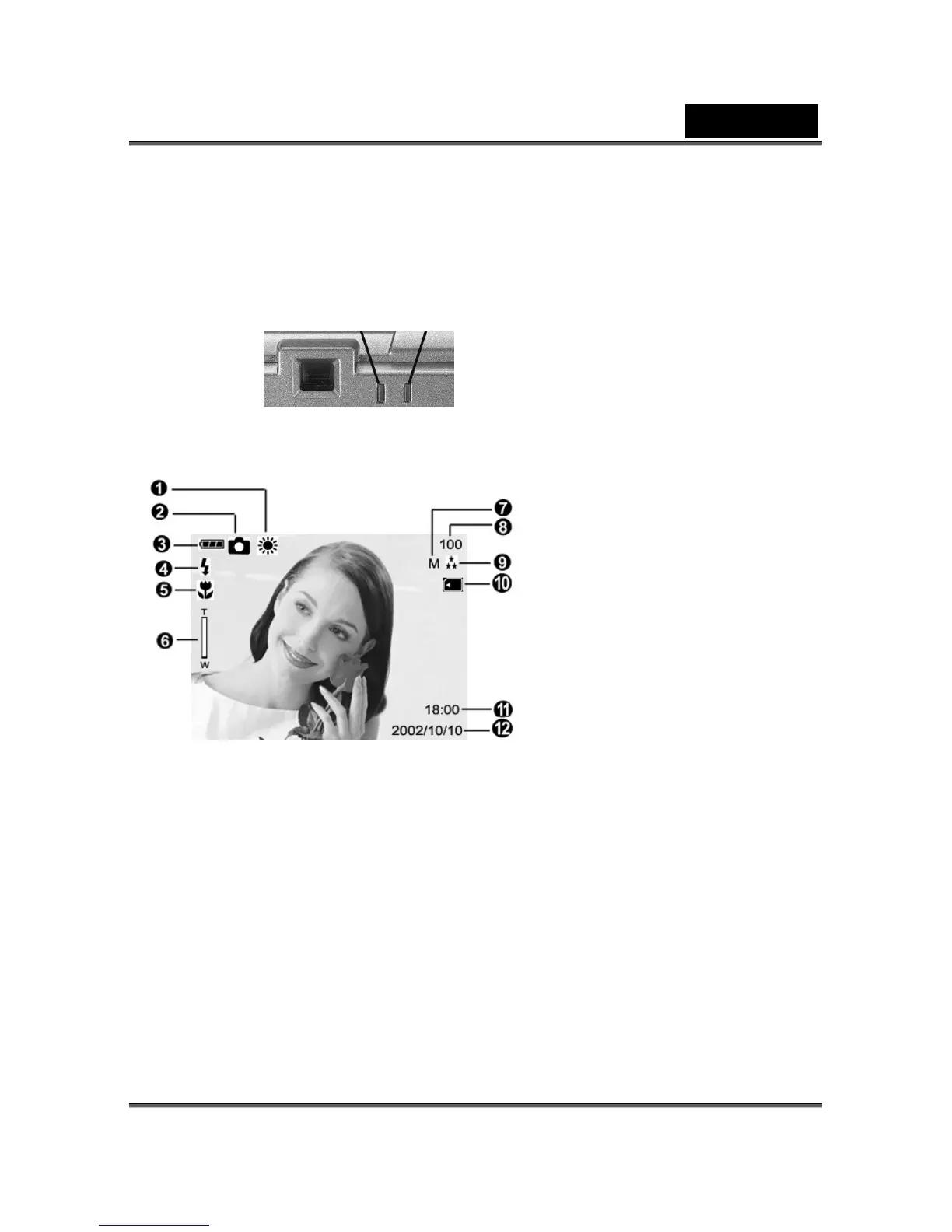
2-3 LCD Monitor Display
(1) White balance display
(2) Current working mode (Single, Self-timer photography, Multi Shot)
(3) Remaining battery power
(4) Flash status
(5) Macro, Portrait and Landscape mode
(6) Zoom lever
(7) Image resolution
(8) Possible number of shots
(9) Image quality
(10) Memory card loaded symbol
(11) Time display
(12) Date display



 To Next Page