English
-18-
monitor.
3. Compose the picture and press the shutter button.
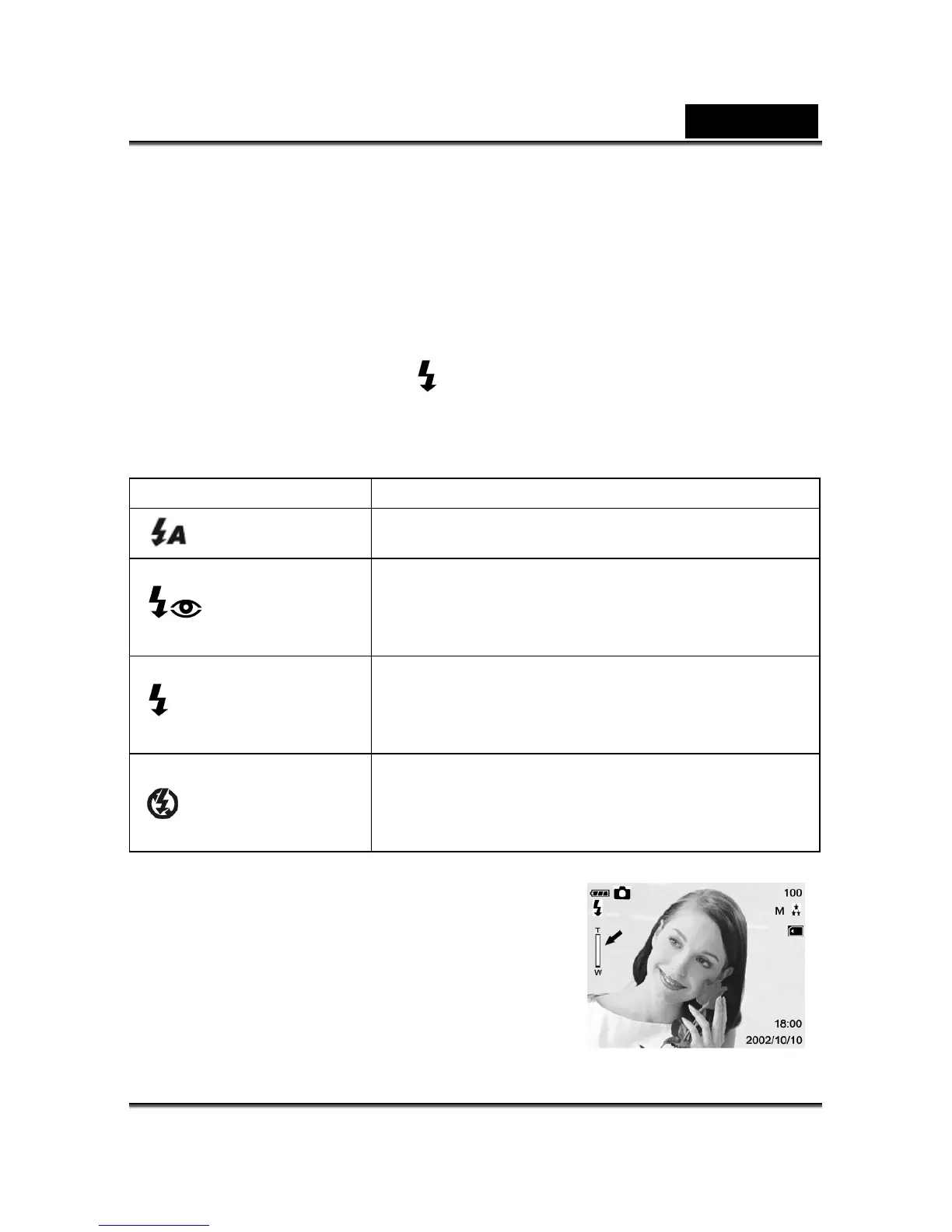
This button is only working in the Record Mode. The camera has four flash modes:
Automatic Flash, Red-Eye Reduction, Fill Flash (on), and Flash Off (default). The modes
appear cyclically when you press the
button on the rear side of the camera. The table
below will help choose the appropriate flash mode:
Flash Mode Description
﹝ ﹞Auto Flash
The flash fires automatically according to the ambient
conditions. Select this mode for general photography.
﹝ ﹞Red-eye Reduction
The flash emits a precursor-flash before the main flash
fires. This causes the pupil in the human eye to constrict,
reducing the red-eye. Select this mode when taking
pictures of people and animals in low-light conditions.
﹝ ﹞Fill Flash on
The flash will always fire regardless of the surrounding
brightness. Select this mode for recording images with high
contrast (backlighting) and deep shadows. Also known as
forced flash.
﹝ ﹞Flash off
The flash will not fire. Select this mode when taking images
in a place where flash photography is prohibited, or when
the distance to the subject is beyond the effective range of
the flash.
4-9 Digital Zoom
Using digital zoom, images appear closer. Whereas
digital zoom is a compelling feature, the more an image
is enlarged (zoomed), the more pixilated (grainier) the
image will appear.
1. Click the Power button to turn on the camera.



 To Next Page