English
-8-
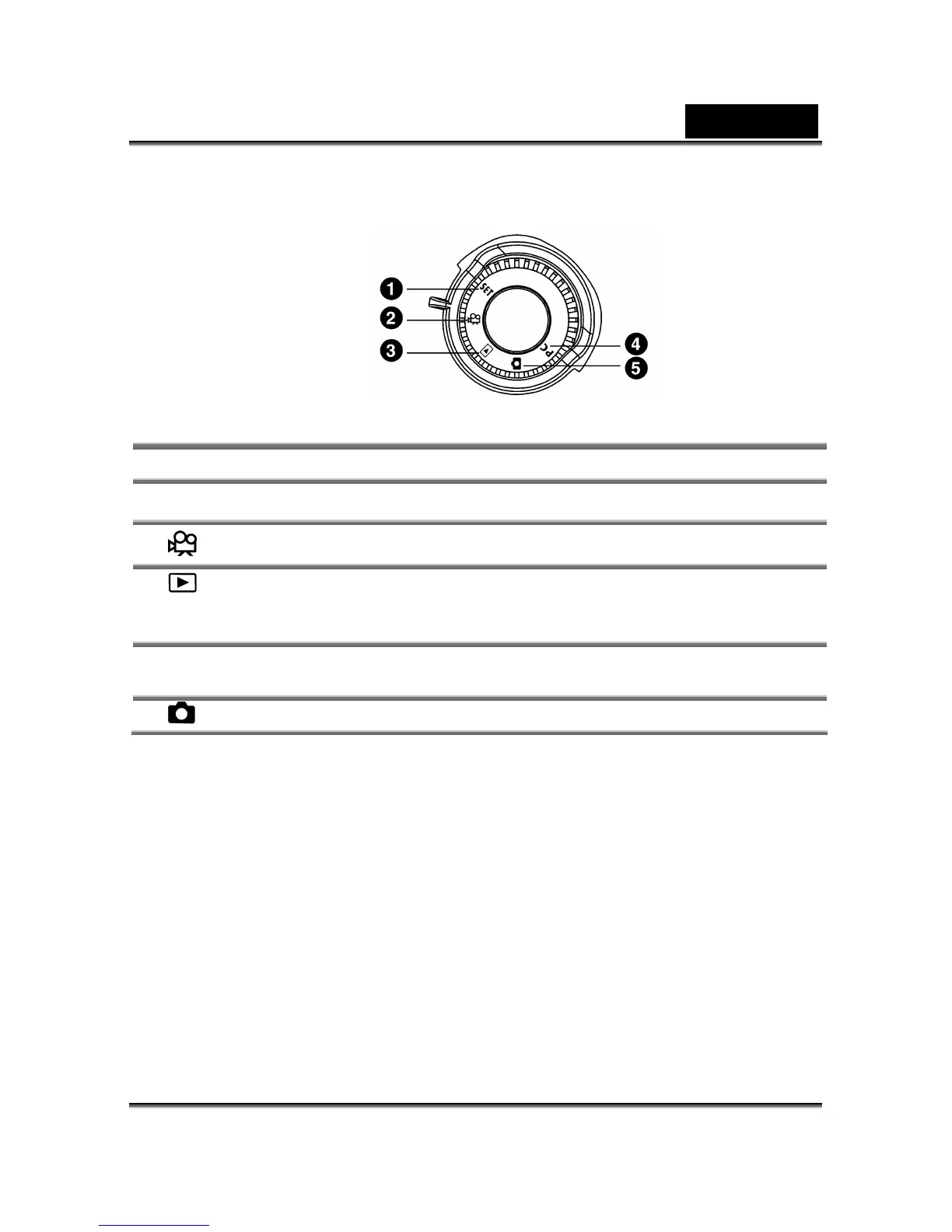
2-5 Mode Dial
You can select the working mode by using this Mode Dial:
Mode Description
1. SET Setup mode
Use this mode to adjust camera settings.
2. Movie mode
Use this mode to record video (movie) clips.
3. Playback mode
Use this mode to view images / video clips, delete
images / video clips, view a slide show, or view
thumbnail displays.
4. PC
PC Mode
Choose this mode to use mass storage or PC
Camera.
5. Record Mode
Use this mode to capture still images.
2-6 Specifications
Lens: 8.46mm
Image Sensor: 1/2" CMOS with 3.1 mega pixels
Focus: F=2.8
Sensitivity: ISO 100
White Balance: Auto, Sunny, Cloud, Tungsten, and Fluorescent.
Shutter: Electrical
Shutter Speed: 1/15 sec. ~ 1/2000 sec.
Storage Media: 16MB Internal Flash Memory
SD Card (MMC compatible) Slot
(supports 4/8/16/32/64/128/256/512MB)
Image File Format: Still Image for JPEG
Movie: AVI
Image Resolution:



 To Next Page