English
-16-
3. Select the video clip you wish to view by using the button.
4. To stop playback, press the
button.
On a TV Monitor
Television monitors can be used to playback still images or video clips.
1. Set the appropriate video output mode (NTSC/PAL) corresponding to your TV standard.
z From the SETUP, select VIDEO MODE.
2. Connect one end of the video cable to the video output connector of your camera.
3. Connect the other end of the video cable to the video port of your television.
4. Turn on the camera and TV.
5. Toggle the MODE button to select the
mode.
6. Playback the recorded images the same way as you would playback them on the image
LCD display.
NOTE
The VIDEO OUT function is highly power consumptive. So the batteries may need to be
replaced sooner than normal.
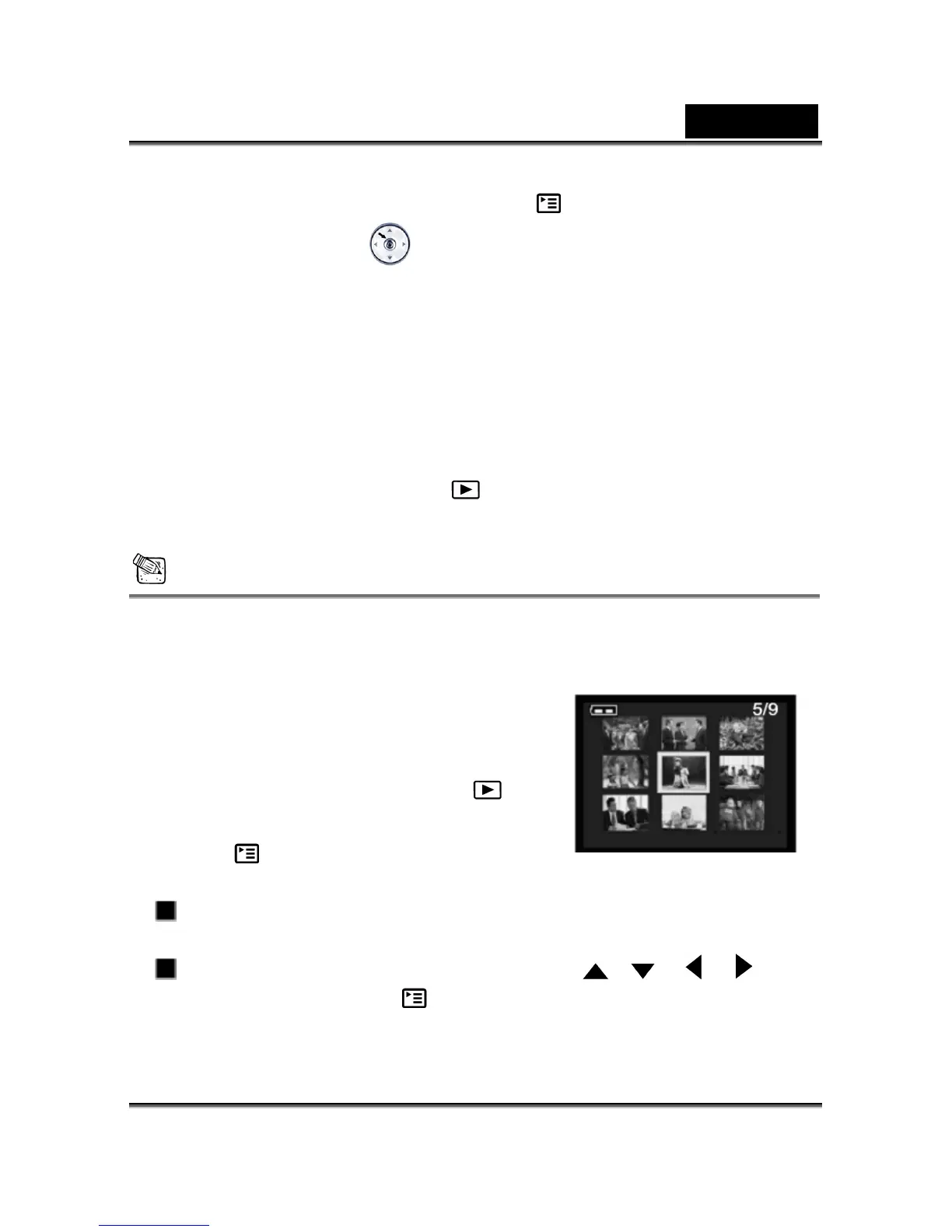
4-5 Displaying Thumbnail Images
This function allows you to view nine thumbnail
images on the image LCD display simultaneously so
you may search for a particular image.
1. Click on the Power button to turn on the camera,
and toggle the MODE button to select the
mode.
2. Press the
button until thumbnail screen
appears on the display screen.
Nine thumbnail images appear (assuming there are nine or more images in
memory).
To view a full-size image, selecting it by using the , , or
button, and then press the
button.



 To Next Page