English
-21-
4. The icon appears on the image LCD display.
5. Compose the scene.
6. Press the shutter button. The self-timer function is activated.
7. After ten seconds, the camera takes an image. In the first 7 seconds, the self-timer
indicator blinks at a relatively slow rate and then blinks rapidly for the last 3 seconds.
Multi-Shot
This function allows you to capture the continuous moving images. After photography is
finished, check the images and select the most satisfied image from your computer.
The approximate number of burst photography varies according to the quality conditions
and settings.
H: 2592x1944 approx. 1
M: 2048x1536 approx. 2
N: 1600x1200 approx. 2
L: 1024x768 approx. 2
The remaining capacity of internal memory also affects photography in this mode.
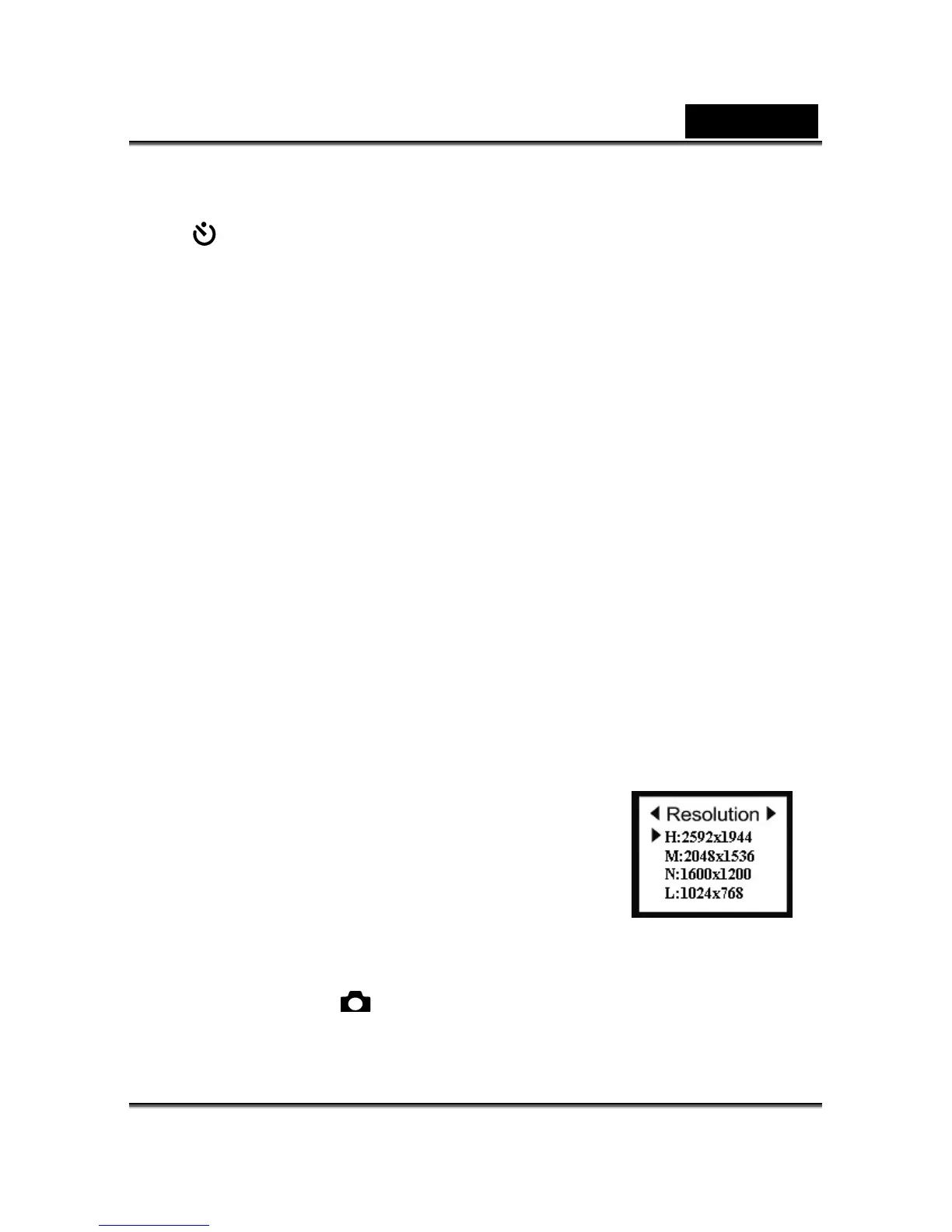
Image Resolution
The image resolution (size) determines the size of your image
and how many images can be stored in the internal memory
or on the memory card. The higher resolution (larger size)
produces a large size image but takes up more space in
memory. Lower resolution (smaller size) takes up less
memory space, suitable for sharing images via email or the
Internet.
1. Click the Power button on the camera, and toggle the
MODE dial to select the
mode.



 To Next Page