1.5.5
SURVEYING METHODS CHAPTER 5
GEODIMETER SYSTEM 600
4
RPU RPU
1
1
How to work with Autolock™
First switch on your instrument and make the necessary
setup; activate compensator, enter PPM-parameters etc.
Conven-
tional
Surveying
with
Autolock
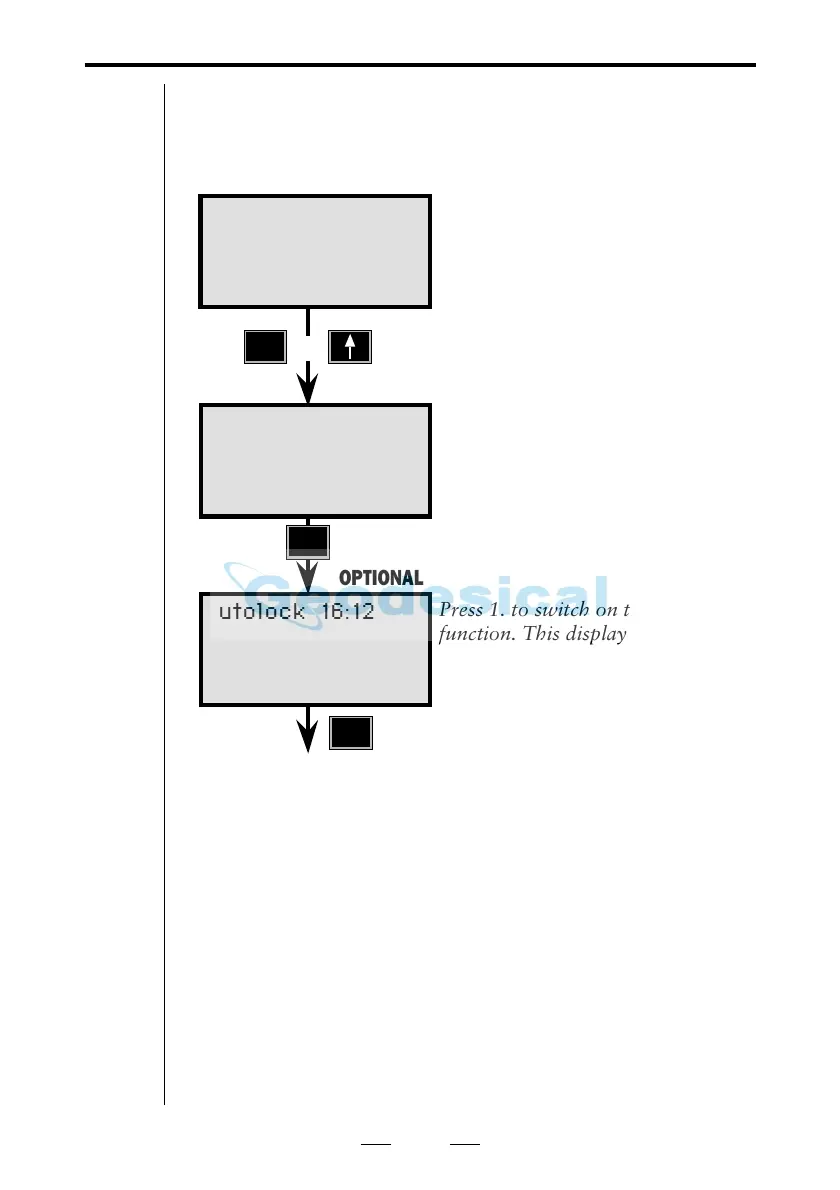
First press the "RPU"-button on the
instrument.
Choose 1. Autolock.
Press 1. to switch on the Autolock
function. This display does only
appear if you installed the search
option.
STD P0 16:12
HA: 72.0000
VA: 90.0000
RPU 16:12
1 Autolock <–
2 Manual
or
The instrument is now setup for Autolock™. A search
function can be added as an option. With this option both
sector control and search control can be used. For more
information, see chapter 2.5.
Measuring towards an ordinary prism
If you aim towards an ordinary prism with the Autolock™
option on and press the A/M-key, you will be prompted:
“Measure OK ?”. Press YES to proceed the measurement or
press NO to cancel it. If you choose to measure and press the
REG-key, you will be prompted: “Reg OK?”. Press YES to
registrate the measurement or press NO to cancel it.
1
Autolock 16:12
1 OK
2 Window control
3 Search control
OPTIONAL


 To Next Page
 Loading...