2.3.5
TRACKLIGHT CHAPTER 3
®
GEODIMETER SYSTEM 600
Changing the bulb
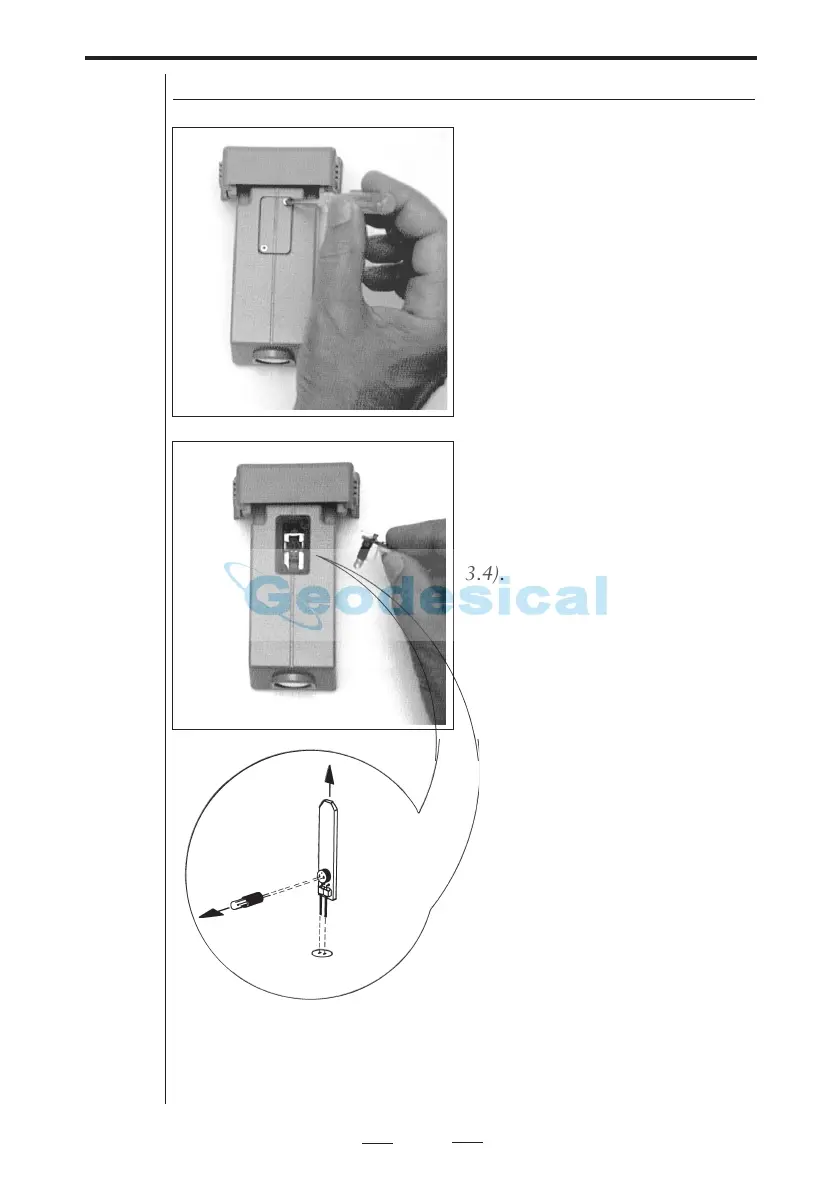
Fig 3.4 The sketch shows how the Tracklight bulb ( 6.3V / 0.2A) should be
removed from the connection socket.
In order to change the tracklight
bulb, open the cover under
which the bulb is situated (fig.
3.3).
Remove very carefully the bulb
housing and replace the spent
bulb with a new one. Replace the
bulb housing and connect the
cover with the screwdriver (fig.
3.4).



 To Next Page