2.11.4
CARD MEMORY CHAPTER 11
GEODIMETER SYSTEM 600
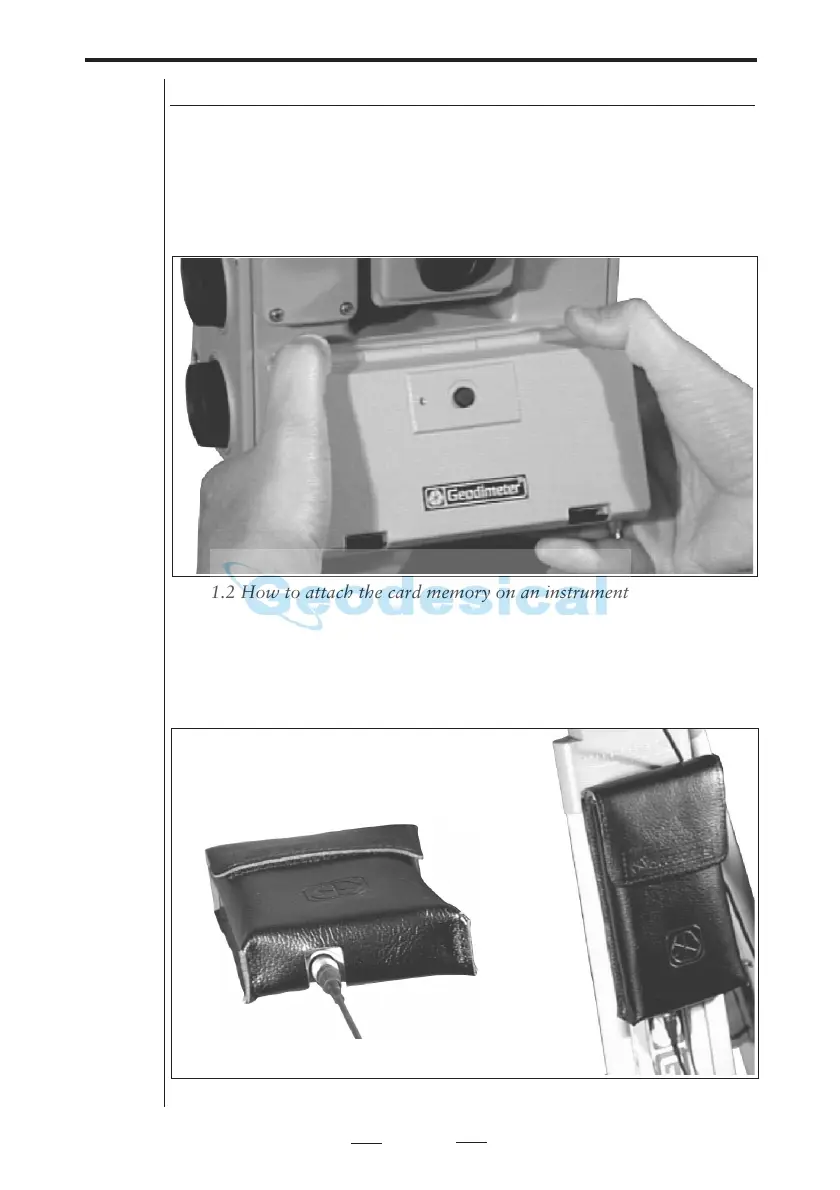
How to connect to a Geodimeter System 600 instrument
You can attach the Card Memory unit in two ways:
1. If you have to have Panel Attachment at the front of the
instrument, that is the side opposite to the operator, you
can attach the Card Memory unit to the instrument in the
same way as the ordinary keyboard unit.
2. You can also hang the Card Memory while in its case on
the tripod and attach it to the foot connector on the inst-
rument with the system cable (571 202 188/216 (1m/2m)).
Fig 11.2 How to attach the card memory on an instrument.
Fig 11.3 How to connect the card memory using the system cable.



 To Next Page