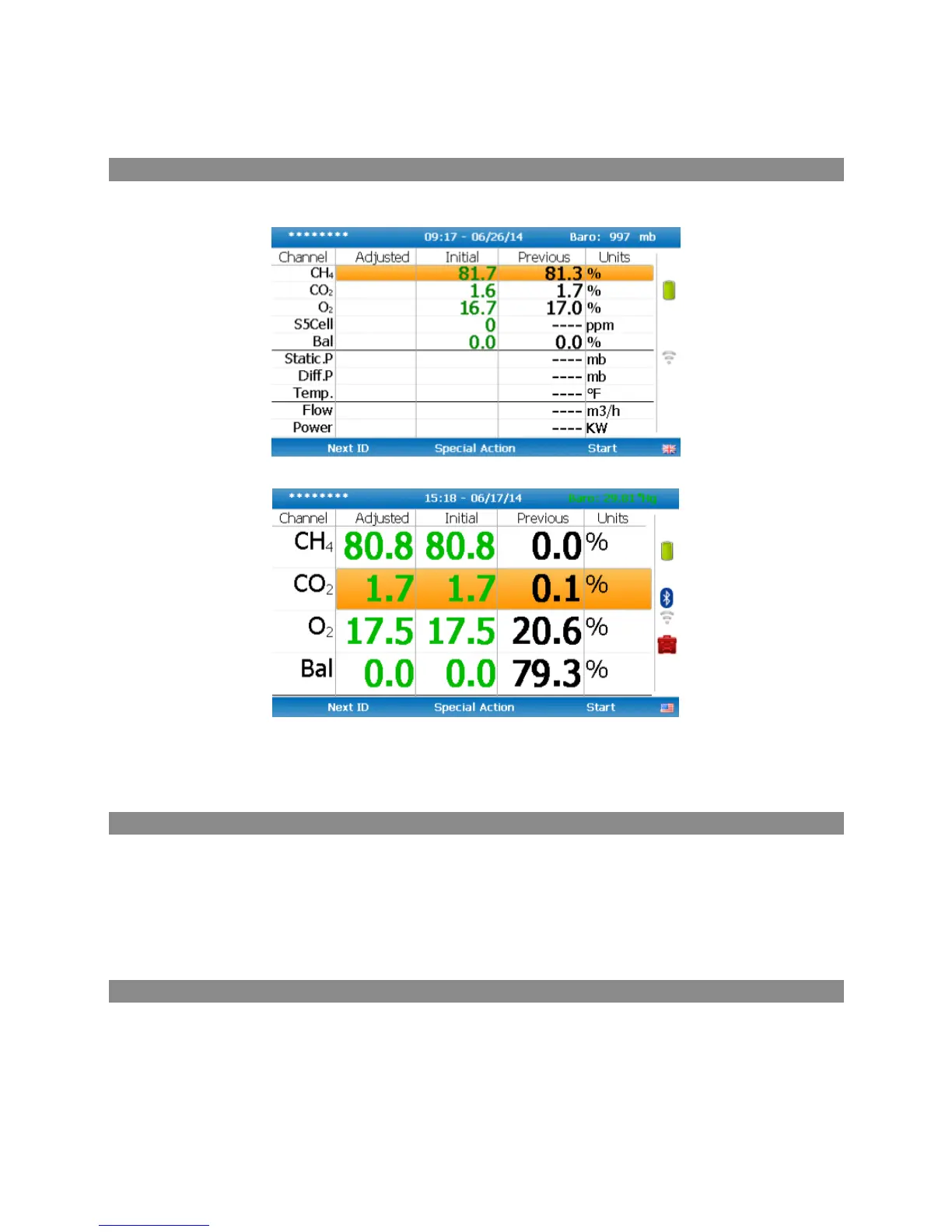
Change screen layout
Use key 2 to toggle between 2 different ways of viewing the gas reading screen:
Default view
Alternative view
You can use key 4 and key 6 to switch between the gases page and the pressure & flow page. This feature is only
available on analysers running on firmware version 1.11 or later.
Answering site questions
Prior to taking the readings at a particular site, the site questions should be populated, this is only necessary
when using site questions, if not, please proceed with the reading as normal. This is accessed via the ‘Special
Action’ menu. The answers to these questions are then stored and appended to each reading stored thereafter,
until the site questions are updated for another site. You will need Gas Analyser Manager (GAM) software to
create site questions and if you are using Gas Analyser Manager (GAM), this data will be uploaded to GAM along
with the reading data.
Answering ID questions
Prior to, or after, you have taken the reading, the ID questions should be populated, this is only necessary when
using ID questions, if not, please proceed with the reading as normal. When you have uploaded IDs with ID
questions assigned to them (Gas Analyser Manager (GAM) software required), you will be prompted to answer
these questions at the end of the reading, this means that the answer only equates to that reading.



 To Next Page